How to Block Countries on Shopify: 4 Ways Compared

Can you block a country on Shopify?
Not with a built-in setting. Shopify Markets can stop a country from checking out, and on Shopify Payments the free Fraud Control app can block checkouts by address, but both still let those visitors browse. To keep a country out of your storefront, you need a country-blocker app, or Cloudflare placed in front of Shopify, a setup Shopify doesn’t support.
Shopify’s own tools decide who can buy. None of them decides who can look, which is why merchants have been asking the Shopify Community for a country block since at least 2021. The reasons they give rarely change: spam and fraud from countries they never sell to, bots filling their reports, and copycats lifting their product photos.
Which method should you use?
Use Shopify’s tools when the problem is orders, and a storefront blocker when the problem is visits. Cloudflare in front of Shopify blocks earliest, but it is the one option Shopify won’t support.
| Method | Stops browsing | Stops checkout | Stops bots | Cost | Needs | Shopify-supported |
|---|---|---|---|---|---|---|
| Markets (country left out of every market) | No | Yes | No | Included | Nothing extra | Yes |
| Fraud Control checkout rules | No | Yes, by email, address or IP | Only bots that reach checkout and match a rule | Free | Shopify Payments | Yes |
| Country-blocker app | Yes, once the page’s script runs | No | Only bots that run JavaScript | Free plans to paid plans | Its app embed switched on in your theme | Yes |
| Cloudflare in front of Shopify (“O2O”) | Yes, before the page loads | Partly (requests to your own domain) | Yes, by country | Free Cloudflare plan and up | Your domain’s DNS on Cloudflare | No |
Every Shopify and Cloudflare detail in this guide was checked against their documentation on 26 September 2026.
Shopify Markets
Markets decides where you sell. Customers from a country that isn’t in any active market can still browse your store but can’t complete a purchase; Shopify shows them your backup region instead (Shopify: market types). If your problem is fraudulent orders from one country, this is the first thing to check, and it costs nothing.
Fraud Control
Shopify’s free Fraud Control app adds checkout rules that stop a checkout from becoming an order, filtered by email, address details or IP address. The rules need Shopify Payments. A blocked buyer sees an error asking them to contact you, and the attempt appears in your abandoned checkouts (Shopify: Fraud Control).
A country-blocker app
A blocker app adds a script to your theme through an app embed. In each visitor’s browser, the script looks up the country behind the visitor’s IP address and replaces your page with a blocked page. That design explains both limits in the table: Shopify’s hosted checkout sits outside your theme, where no storefront app can act, and anything that doesn’t run JavaScript still receives your page’s HTML.
Cloudflare in front of Shopify
If your domain’s DNS is on Cloudflare, you can proxy it in front of Shopify, a setup called Orange-to-Orange (O2O), and write a firewall rule that refuses countries before the page loads, JavaScript or not. Cloudflare’s Shopify guide says it works on any Cloudflare plan and that Workers and Snippets don’t run on the checkout path. Shopify’s domain troubleshooting page says Shopify doesn’t support O2O, and lists what can go wrong: certificates failing to issue, weaker bot detection on Shopify’s side, and a setup that could break at any time. One merchant in the Shopify Community reported Google Merchant Center errors while running it and switched it off (thread). Treat it as an advanced option, at your own risk.
How do you block a country with an app?
Switch the app on in your theme, give yourself a way back in, add the countries in dry run, then enforce. The steps below use X Shield, which we build, as the example; the full click-by-click is in block countries in X Shield.
- Switch on the app embed. On X Shield’s Overview page, click Enable in theme, then Save in the theme editor that opens. The Theme extension badge changes to Active. Until it does, nobody is blocked, which is the most common reason a new blocker seems not to work.
- Create your private access link. In Safety & testing, under Your private access link, click Create link and save. The link opens your store past every rule, on any network or device.
- Start in dry run. In Safety & testing, under Dry run, click Observe only and save. The badge reads Observing: every rule is evaluated, and nobody is blocked.
- Add the countries. Open GEO control, switch it on, choose an Access mode, and add countries by name or as a group through Quick selection: continents, the European Union, ASEAN and more. After you save, a message confirms Configuration saved successfully.
- Enforce. When the results look right, go back to Dry run and click Block for real. The badge changes to Enforcing.
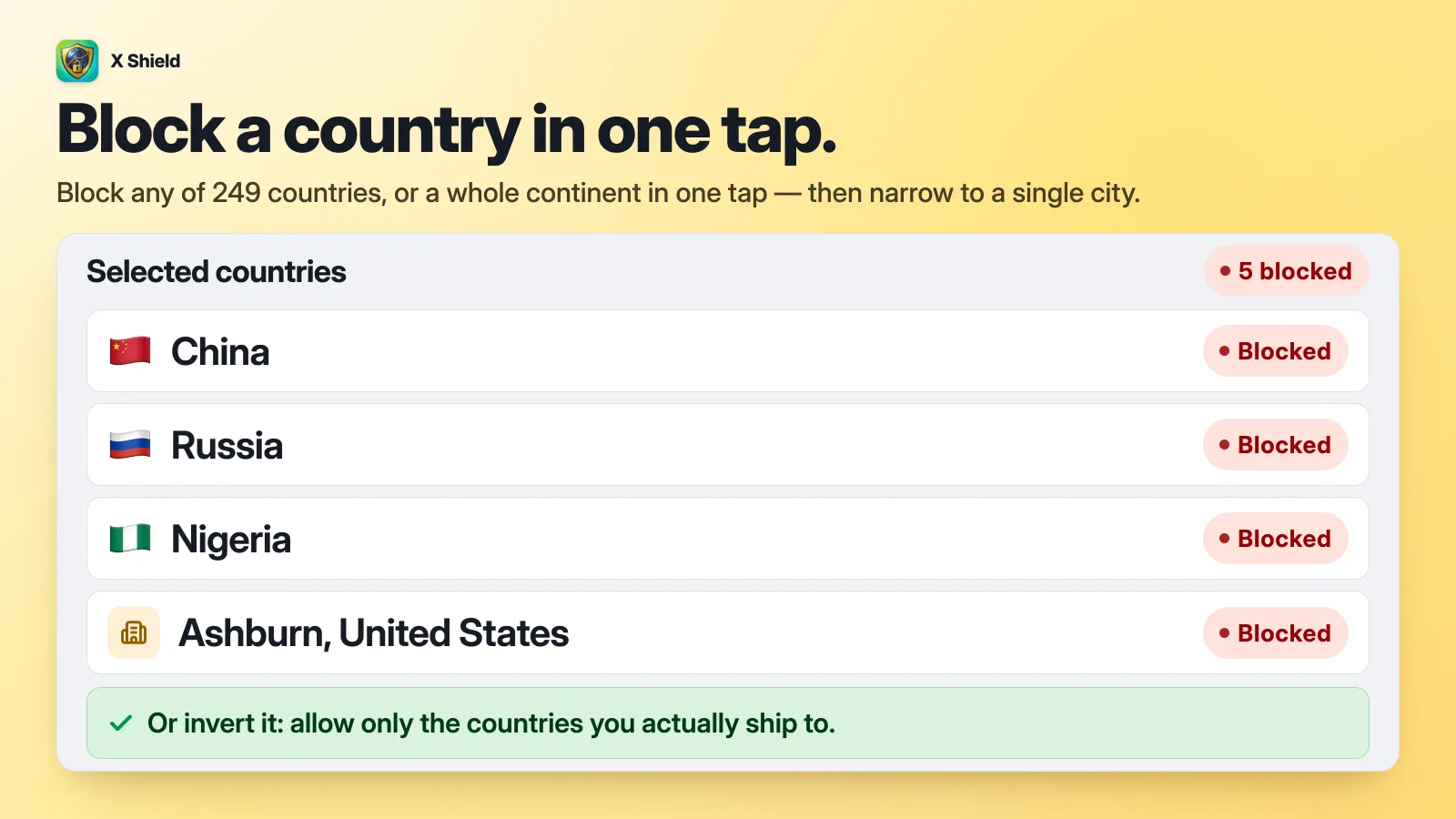
X Shield’s Free plan covers five country rules, and a Quick selection group counts as the countries in it; paid plans remove the limit, and city rules such as the Ashburn one above need Enterprise or Plus (plans). The rules apply only to your storefront. Your Shopify admin is never blocked.
Tip: X Shield, a free country and bot blocker for Shopify, checks Googlebot and other search crawlers against the IP ranges their owners publish, so they keep crawling while a country is blocked.
Should you block countries, or allow only the ones you sell to?
If you sell to a handful of countries, allow only those. If you sell widely and a few countries bring you nothing but fraud or bots, block those few. Allowing only a list is tighter, and it is also the setting most likely to shut out customers, or you.
| Block listed countries | Allow only listed countries | |
|---|---|---|
| Who gets in | Everyone except the countries you list | Only the countries you list |
| Suits | Stores that sell widely, with a few problem countries | Stores that sell to one country or a few |
| Main risk | Bots move to countries you didn’t list | Customers travelling abroad, VPN users and your own team are blocked |
| Search crawlers | Rarely affected | Keep verified crawlers allowed, especially if the US isn’t on your list |
The trap in allow-only mode is forgetting a country you need, starting with your own. X Shield warns you while you edit: These rules would block you appears when your own connection matches the rule you’re about to save. Two safety behaviours help too: an empty list never blocks anyone, and a visitor whose country can’t be worked out is let through rather than guessed at.
Which countries should you block?
The ones your own data points to. No country is bad for every store, and a list copied from a forum will block someone else’s problem.
- Sessions by location. In Shopify, open Analytics → Reports and find the Sessions by location report. Since Shopify’s 21–23 September 2026 update, sessions it identifies as bots are filtered out of session reports by default; set the Human or bot session filter to include them to see where the automated traffic comes from (Shopify: bot filtering).
- Orders and chargebacks. Countries that send fraud flags and disputes but no good orders are candidates. Countries that send a few good orders are not, however noisy their traffic.
- Where you can’t deliver. If you never ship somewhere, blocking it costs you no sales.
X Shield’s own in-app advice is the same: there is no universal bad list, allow-only mode suits stores that serve a few countries, and blocking suits countries where you never sell or have seen abuse. One pattern deserves a second look before you block a whole country: traffic from China and Singapore is usually bots running on cloud networks, and blocking those networks can work better than blocking the countries.
Will blocking a country hurt your Google rankings?
Usually not, if you block countries you don’t sell to and your blocker lets verified search crawlers through. Google asks sites to treat Googlebot “like you would treat any other user from that country”, and its default IP addresses appear to be in the US, so the US is the country not to block if you want Google traffic (Google: locale-adaptive pages).
In X Shield, keep Googlebot ticked under Global bypass → Known bots (how X Shield keeps Googlebot in). Google’s full guidance, what happens when a crawler reaches a blocked page, and a risk table are in does blocking countries hurt SEO?
How do you avoid blocking real customers, or yourself?
To avoid blocking real customers or yourself, set up your way back in first, then test your rules before you enforce them.
- Dry run evaluates every rule and records who would have been blocked, without blocking anyone. It works on every plan, but only paid plans show its results visitor by visitor in Analytics; on the Free plan, rely on the rule tester below.
- Test your rules, also in Safety & testing, checks a country code or an IP address against the country and IP rules you have saved, so save a rule (in dry run, if you like) before testing it. Test my own connection checks yours.
- Your private access link gets you in on any network. Allowing your own IP address isn’t enough, because your IP changes the moment you switch to mobile data. Treat the link like a password.
- One customer abroad can be let in by IP address: the IP whitelist in GEO control exempts an address from country rules, and Global bypass → Whitelisted IPs exempts it from every protection.
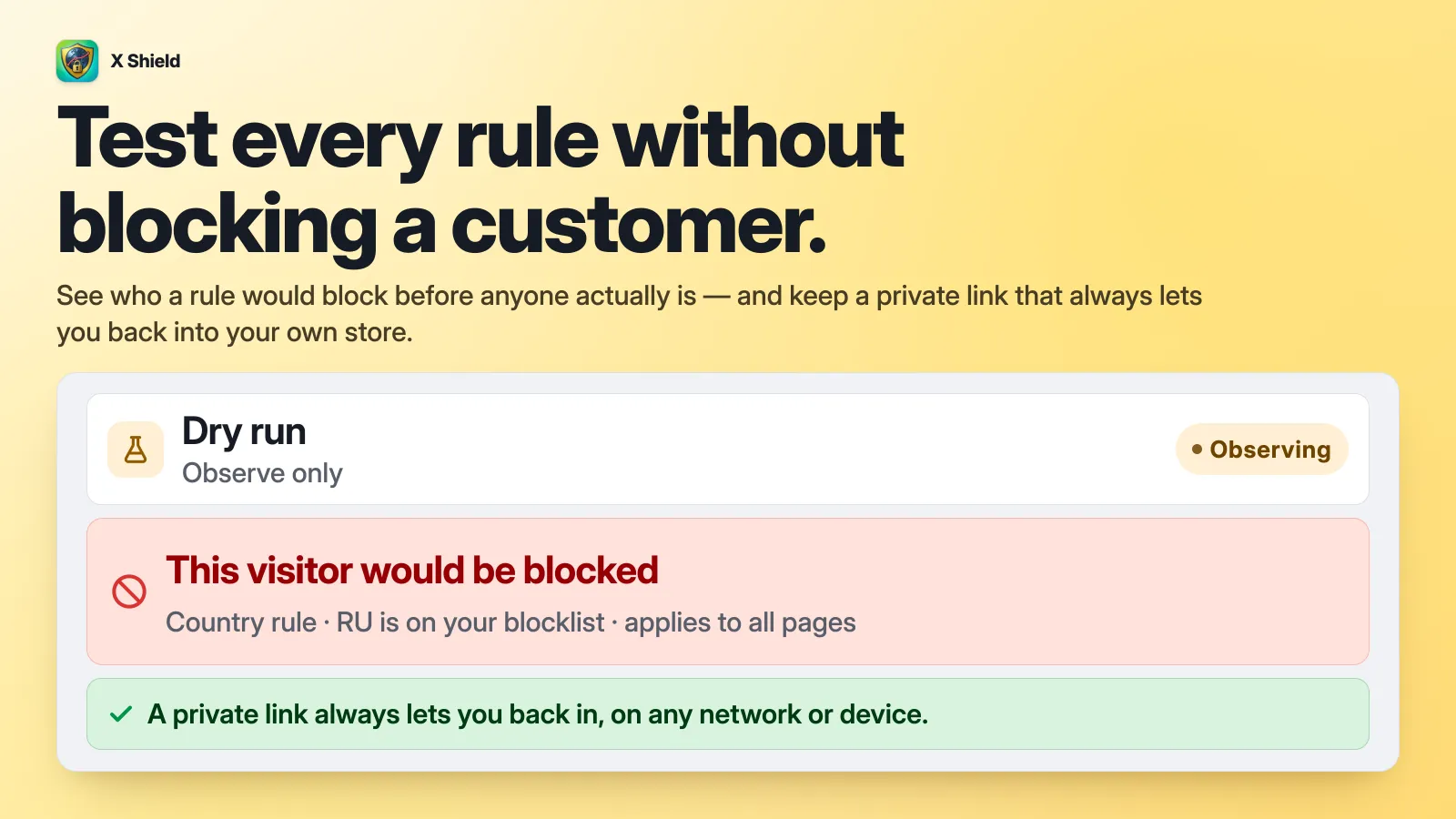
The full walkthrough: test the rule in dry run first.
Why do blocked visitors still show in Shopify Analytics?
Because a storefront blocker decides after the page has started loading, Shopify can record the visit before the blocked page appears. X Shield counts blocks and Shopify counts sessions, so the two numbers won’t match. Shopify’s September 2026 change to filter identified bot sessions out of session reports by default may already hide part of that traffic. More in why blocked visitors can still appear in Shopify Analytics.
What can’t country blocking stop?
Country blocking can’t stop anyone who can appear to be somewhere else, or anything that doesn’t load your storefront pages in a browser, such as Shopify’s checkout or a script.
- VPNs and proxies. A visitor who connects through another country is treated as being in that country. VPN detection catches some of them; residential proxies look like ordinary home connections. See should you block VPN traffic?
- Checkout. A storefront app can’t reach Shopify’s hosted checkout, so a blocked visitor with a direct checkout link or a cached page can still place an order. Markets and Fraud Control are the tools there.
- Anything that doesn’t run JavaScript. Scripts, most scrapers and many AI crawlers read your HTML, and data such as
/products.json, without ever seeing a blocked page. - The first moment. A blocked visitor can see your page briefly before the blocked page replaces it.
For one troublemaker rather than a whole country, blocking by address is more precise: how to block an IP address on Shopify.
Is it legal to block countries?
That depends on where you’re based, who you sell to and why. This guide isn’t legal advice. Talk to a lawyer.
- The EU. If you sell to customers in the EU, the Geo-blocking Regulation, Regulation (EU) 2018/302, has applied since 3 December 2018. The European Commission’s summary says it bans blocking access to websites, and redirecting customers without their consent, on grounds of nationality, residence or establishment, unless EU or national law requires the block. It doesn’t oblige you to deliver everywhere.
- Sanctions. Complying with sanctions is a legal programme covering who you sell to, how you’re paid and where you ship. A country block can be dodged with a VPN, so it can’t be your compliance control, and no blocker app makes a store compliant.
Frequently asked questions
Can I block a country from one product or collection?
For a country in one of your markets, Shopify can leave a product out of that market’s catalogue: customers there can’t view or buy it, and a direct link sends them to your home page (Shopify: products by market). To block whole pages instead, use page targeting: in X Shield, set Page targeting to Specific pages only and list paths such as /products/linen-shirt or /collections/wholesale. Paths match from the start, so /collections/wholesale covers everything under it, and translated URLs such as /fr/products/linen-shirt need their own entry.
Is there a free way to block a country on Shopify?
Markets and Fraud Control are free, but they only stop checkout. To stop browsing without paying, use a blocker app’s free plan, such as X Shield’s, or Cloudflare’s O2O setup, which Cloudflare says works on any of its plans, Free included, but which Shopify doesn’t support.
Does Shopify block sanctioned countries itself?
For its own unsupported countries and regions, yes: Shopify prohibits access to storefronts and accounts from Cuba, Iran, North Korea, Syria, and the Crimea, Donetsk and Luhansk regions of Ukraine. That list covers Shopify’s obligations, not yours, which may reach further. Ask a lawyer.
