Shopify Bot Traffic From Singapore and China, Explained

Is traffic from Singapore or China on my Shopify store bots?
Usually, yes. If sessions from Singapore, China or Hong Kong arrive as Direct traffic, leave after one page and never add to cart, they are almost certainly automated: scrapers running on cloud networks such as Alibaba, Tencent and Huawei Cloud. Check Shopify’s Human or bot session filter first, then block the networks rather than guessing at countries.
In one Shopify Community thread, a Plus merchant measured “roughly 50% of all sessions” as bots from China, and another store counted 88.5% bot sessions from 1 to 21 August 2026.
What changed in Shopify Analytics on 21–23 September 2026?
Shopify now hides the sessions it identifies as bots from session reports by default. If your sessions fell and your conversion rate rose from 21 September, the measurement changed, not your shop.
Shopify’s changelog and update page list three changes, rolled out from 21 to 23 September 2026 (checked 24 September 2026):
- Identified bot sessions are filtered out of session-related reports by default. Where a report supports the Human or bot session filter, you can switch them back in.
- A session ends after 30 minutes of inactivity, not at midnight UTC.
- Some sessions without a pageview now count, such as a shopper going straight to checkout from a cart link.
Also worth knowing:
- The Home page and Live View show filtered numbers, and there the filter can’t be changed.
- Only sessions from 7 October 2025 onwards are classified, so treat post-update data as a new baseline.
- The classification is deliberately cautious: “it’s better to miss some bots than incorrectly label real customers as bots” (bot filtering). One merchant saw about 74% of a Singapore wave marked as bots (forum).
Guides written before 21 September 2026 may say the filter is off by default. It isn’t any more, and your orders, sales and customer counts are unaffected.
How do I tell bots from buyers?
Bots behave like software: no referrer, one page, no cart, a data-centre city, a sudden wave. Check these signals, then let Shopify’s classification confirm it.
| Signal | Typical bot pattern | Where to look in Shopify |
|---|---|---|
| Referrer | None (direct) | Sessions by referrer |
| Location | Countries you don’t ship to; data-centre cities | Sessions by location |
| Engagement | Bounce rate near 100%, no add to cart, no orders | Any sessions report |
| Landing page | Floods of product URLs carrying the parameters Shopify adds to recommended-product links | Sessions by landing page |
| Timing | An overnight jump unrelated to your marketing | Sessions over time |
| Search | Search terms that look like request IDs or code | Searches by search query |
| Customers | New profiles with odd or repeated names | Customers |
Real shoppers’ visits carry these parameters too; a flood from one country is the signal.
To see Shopify’s verdict:
- From your Shopify admin, go to Analytics → Reports and open Sessions by location.
- If the configuration panel isn’t showing, click Controls.
- In Filters, set the Human or bot session row to is and choose Bot. The report now shows only bot sessions.
- To compare instead, remove the filter and add Human or bot session from Dimensions: each location splits into Human and Bot rows.
What do Council Bluffs, Ashburn, Singapore and Beijing mean in my reports?
They are mostly data-centre locations, not shoppers: each hosts servers anyone can rent, and the right response differs by place.
| Place | What’s there | Typical traffic | Filter or block? |
|---|---|---|---|
| Council Bluffs, Iowa | A Google data centre and Google Cloud’s us-central1 region | Likely Shopify’s own speed checks (per Shopify staff), plus crawlers, monitors and scrapers | Filter it. Don’t block |
| Ashburn and Boydton, Virginia | Ashburn: Google Cloud’s us-east4 region and Amazon Web Services, named by Shopify as a bot sign. Boydton: Microsoft data centres | Monitoring services, crawlers, scrapers | Filter it. Block only after a dry run |
| Singapore and Hong Kong | Cloud regions of Google, Alibaba, Tencent and Huawei | Scrapers, including the waves since late 2025 | Block the scraper networks. Block the country only if you don’t sell there |
| Beijing and other mainland Chinese cities | Mainland regions of Alibaba, Tencent, Huawei and Baidu clouds | Scrapers, and Baidu’s search crawler | Block the networks. Block China only if you don’t sell there |
Google has run a data centre in Council Bluffs since 2007, and Google Cloud lists its regions there and in Ashburn, Singapore and Hong Kong. A Shopify staff member said on Shopify’s developer forum in June 2025 that Shopify uses a Google data centre in Council Bluffs, that these sessions are likely related to its daily speed reports on your home, collection and product pages, and that “this action can’t be disabled or stopped” (thread). Real people live there too, so filter it: in Sessions by location, add a Session city filter that excludes Council Bluffs.
Should I block these bots?
Block the ones that cost you something and leave the helpful ones alone. Shopify sorts bots into beneficial, undesirable and harmful, and only the last two deserve a block.
| Shopify’s category | Examples from Shopify’s list | What to do |
|---|---|---|
| Beneficial | Search engine crawlers, accessibility tools, apps you’ve authorised | Let them in |
| Undesirable | Unknown scrapers, restock bots, form and blog spam, unauthorised load tests | Block their networks; robots.txt for crawlers that obey it |
| Harmful | Card testing, fake customer sign-ups, counterfeit scrapers, DDoS attacks | Checkout and payment defences; Shopify’s firewall for DDoS |
By place, that means:
- Block data-centre networks, and countries you don’t sell to. Leaving a country out of Shopify Markets won’t do it: shoppers outside your markets “can browse your store, but can’t complete a purchase” (market types). See how to block countries on Shopify.
- Filter Council Bluffs; don’t block it. According to a Shopify staff member, much of it is likely Shopify’s own daily speed checks.
- Dry-run any city block. Real people and office networks sit in Ashburn too, so watch any city rule in dry run before you enforce it.
How do I block bot traffic on Shopify?
In layers, cheapest first: filter your reports, ask polite crawlers to leave with robots.txt, block the data-centre networks scrapers use, then switch on bot protection. The Shopify admin has no setting to block a network or country from browsing, so steps 3 and 4 need an app or your own Cloudflare account.
| Layer | Stops | Can’t stop | Needs |
|---|---|---|---|
| Shopify’s bot filter | Bots in your session reports | Any actual request; bots it doesn’t identify | Nothing: on by default |
| Shopify’s Cloudflare and hCaptcha | Attacks, much automated traffic, form and account spam | Whatever it lets through; no rules of your own | Nothing: always on |
| Checkout bot protection | Auto-checkout bots in a scheduled sale of up to 60 minutes | Browsing bots; fraud, which it “isn’t meant to combat” | Shopify Plus, via Plus Support |
| robots.txt | Crawlers that obey it | Scrapers that ignore it | A theme template edit |
| Storefront blocker app | Bots that run JavaScript on storefront pages | Clients that never run JavaScript; checkout; /products.json |
An app |
| Cloudflare in front of Shopify (O2O) | Requests to your domain that your rules catch, before Shopify | Bots your rules miss; Shopify doesn’t support it | Your own Cloudflare account |
Shopify’s features checked 24 September 2026.
1. Filter your reports
Shopify now does this by default. Its view: blocking bots outright “prevents beneficial search engine indexing, breaks social media sharing features” (bot filtering). If the numbers are your only complaint, stop here.
2. Ask crawlers to leave with robots.txt
For a named crawler that obeys it, such as an SEO tool or AI crawler, a robots.txt rule is the cleanest block.
-
From your Shopify admin, go to Online Store → Themes, open the menu next to your live theme and click Edit code.
-
Click Add a new template, select robots, then click Create template.
-
Below Shopify’s default rules, add a group for the crawler:
User-agent: Bytespider Disallow: / -
Click Save. The rule appears in your store’s
/robots.txt.
Important: Shopify calls this “an unsupported customization” that can cause “loss of all traffic” if done wrong, and says the rules are “directional and advisory, and not all crawlers are guaranteed to follow them” (editing robots.txt). Scrapers ignore them.
3. Block the networks scrapers run on
Shopify’s own blog on bot traffic recommends blocking data-centre IP ranges, since most real shoppers browse from residential connections. Block networks rather than countries: the same networks come back under different countries.
X Shield, which we build, has a Scraper network blocking switch: “Block visits from datacenters known for scraping — Alibaba, Tencent and Huawei clouds, and scraper hosting.” Its short, curated list also covers hosts such as DigitalOcean, Vultr, Hetzner and Linode, and lets verified crawlers and uptime monitors through. It is separate from VPN/Proxy protection, which also turns away shoppers on privacy tools, and both stay off until you switch them on: block scraper networks in X Shield. Blocking a city such as Ashburn needs the Enterprise or Plus plan; see X Shield, a free country and bot blocker for Shopify.
The other route is Cloudflare in front of Shopify, known as O2O, which refuses requests before they reach Shopify, even from bots that never run JavaScript. Shopify says Cloudflare proxy setups, including O2O, “aren’t supported”, so treat it as an advanced option at your own risk; the trade-offs are in Cloudflare in front of Shopify.
4. Turn on bot protection
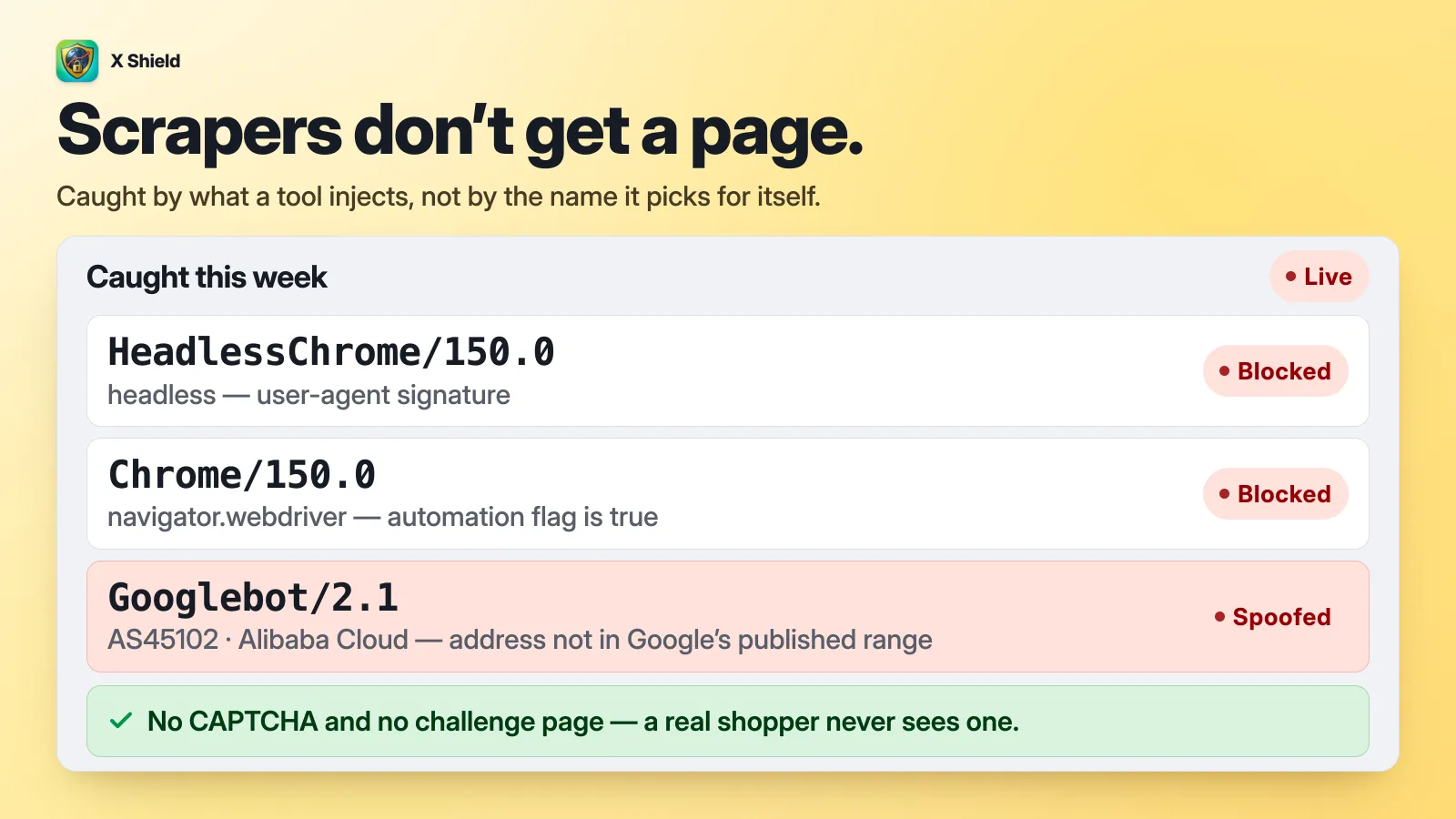
Bot protection catches automation that gives itself away and fake search engines. X Shield’s Bot protection checks any visitor claiming to be a known crawler against that crawler’s published IP ranges or network, so a real Googlebot gets in and an impostor doesn’t. Googlebot, Bingbot, Applebot, DuckDuckBot and Meta’s crawlers are allowed by default under Global bypass → Known bots; AI crawlers are opt-in. A well-disguised headless browser still gets through. More in X Shield’s bot protection and verified crawlers.
Test before you enforce
Watch a new block before you enforce it. In X Shield:
- Go to Safety & testing → Dry run.
- Click Observe only, then Save. A message confirms Dry run on — nobody is being blocked right now.
- Leave it running for a day or two. On paid plans, Analytics lists each visit your rules would have blocked; the Free plan’s list shows real blocks only.
- Click Block for real, then Save.
More: test the rule in dry run first.
What storefront blocking can’t stop
Storefront apps, X Shield included, run as JavaScript in the visitor’s browser. Clients that never run it, such as curl, python-requests, Scrapy, most AI crawlers and anything reading /products.json, get your pages and data and are never blocked, and a blocked visitor may glimpse the page before the block screen. Only a layer in front of Shopify turns those requests away.
Will blocking bots clean up my analytics and Meta pixel?
Partly. Shopify’s filter cleans Shopify’s reports, not Meta’s or Google’s, and a storefront blocker acts after the page starts loading, so a bot’s first page view can still be counted and fire your pixel.
- The Meta Pixel “is a snippet of JavaScript code” (Meta), so it fires for any visitor whose browser runs your page, headless bots included. Those events feed your ad measurement and custom audiences.
- Google Analytics 4 excludes known bots automatically, and you can’t switch that off (Google), but bots disguised as browsers aren’t on any list.
- X Shield’s own FAQ says Shopify Analytics “may record visits before X Shield’s blocking screen displays”; see why blocked visitors can still appear in Shopify Analytics.
For ads, judge campaigns on purchases, which bots don’t make, not page views or add-to-carts. During a wave, don’t build retargeting or lookalike audiences from all website visitors.
Moving your tracking to a server doesn’t change this: browsing events sent from a server still start from what a visitor’s browser did, so server-side tracking doesn’t remove bots either.
What about fake carts and John Doe checkouts?
That is usually card testing, a checkout problem rather than a traffic problem. The bots often go straight to Shopify’s checkout without loading your storefront, so storefront blockers don’t see them; Shopify Payments’ card testing protection and Fraud Control rules do the work. See fake John Doe checkouts.
Frequently asked questions
Should I block Bytespider?
Only if you don’t want ByteDance collecting your pages. Bytespider is ByteDance’s crawler, and ByteDance doesn’t publish IP ranges for it, so any scraper can borrow the name. Its share of AI crawler traffic fell from 42% to 7.2% between May 2024 and May 2025, according to Cloudflare, so don’t assume it is behind a 2026 wave. A robots.txt rule asks it to stop. X Shield doesn’t treat it as a verified crawler, so Bot protection blocks a Bytespider visit that runs your page’s JavaScript.
Does blocking China hurt my SEO?
Not in Google, if you don’t sell there: Googlebot’s default IP addresses appear to be in the US (Google). A China block can shut out Baidu’s crawler, which matters only if you want Chinese search traffic. More: does blocking countries hurt SEO?
Will this stop the traffic entirely?
No. Filtering hides it, storefront blocking stops bots that run JavaScript, and only a layer in front of Shopify refuses requests before they arrive. Bots adapt: one merchant’s waves moved from Singapore, China and India to places such as the Seychelles, the Netherlands and Chile, and another’s bots returned the day after a blocker app was removed (thread). Aim to keep bots out of your numbers, ads and checkout, not to reach zero.
