
Shopify app · Invoices and receipts
Ori Order Printer: PDF Invoice
Print and email PDF invoices, receipts and delivery notes
Ori is a Shopify app that turns orders into numbered PDF invoices, receipts, delivery notes, quotations and purchase orders. For shops in Japan, its designs print the qualified-invoice items: your registration number, the totals and tax at 8% and 10%, and, on Japanese designs, the reduced-rate marks. Every issued PDF is kept with its hash and every earlier version. On Standard and Pro, customers issue their own receipts.
- Plans
- Free, then from $8.99 / month
- Billing
- On your Shopify invoice
- Docs
- 11 guides

What does Ori do?
Ori turns each order into a numbered invoice, receipt or delivery note PDF, and keeps every issued copy with its hash.
Documents from every order
Issue invoices, receipts, delivery notes, quotations and purchase orders as PDFs from Ori's order list or Shopify's order page, numbered in one unbroken sequence per document type.
34 designs, or your own
Pick one of 34 built-in designs and restyle each element, with your company seal and logo. Send us the invoice you use today and our team builds it as a design, on any plan.
Japan's qualified invoice
Print your registration number and the totals and tax for 8% and 10% on invoices, receipts and delivery notes. Japanese designs mark reduced-rate items ※; designs in other languages print each line's rate.
An archive with a hash on every PDF
Every issued PDF is kept with its SHA-256 hash and every earlier version, searchable by date, amount and recipient, and exportable as an audit ZIP on every plan.
Self-issue and automation
On Standard and Pro, customers issue their own receipt on the thank-you or order status page. Automation rules issue documents when an order is paid or fulfilled on every plan, and email them on Standard and Pro.
Does Ori print Japan's qualified invoice?
With your registration number set, Ori's invoices, receipts and delivery notes print it with the recipient, the date, the totals and tax for 8% and 10%, and, on Japanese designs, reduced-rate items marked ※. Ori checks the number's format, not the National Tax Agency's register, and takes each line's tax rate from what Shopify charged on the order. What you issue remains your responsibility.
Can customers get their own receipts?
Yes, on Standard and Pro. Once you switch on customer self-issue and add Ori's blocks in Shopify's checkout editor, a customer can type the name the receipt is made out to and downloads a numbered receipt from the thank-you or order status page. Customers can issue receipts only; invoices stay yours to issue.
Where are issued documents kept?
In Ori's Archive, on every plan: each issued PDF with its SHA-256 hash, every reissued or voided version, an audit log, search by date, amount and recipient, and an audit ZIP of PDFs and an index CSV for your accountant. Nothing in the app deletes an issued document.
How is Ori different from Shopify Order Printer?
Shopify Order Printer is free and prints invoices, packing slips and pick lists from templates you edit in HTML, CSS and Liquid, up to 50 orders at a time. Ori gives you numbered documents of five types, Japan's qualified-invoice items without code, an archive of every issued PDF, and, on paid plans, emailing and receipts customers issue themselves.
What does the Free plan include?
Free covers 50 documents a month, counted in Japan time, all five document types, the qualified-invoice items, your seal and logo, one design per type, the archive and audit ZIP, issuing from Shopify's order pages, automation rules that issue documents, and a design built by our team. Email, customer self-issue and the bulk actions in Ori's order list need Standard or Pro.
Screenshots
As the Shopify App Store listing shows them.
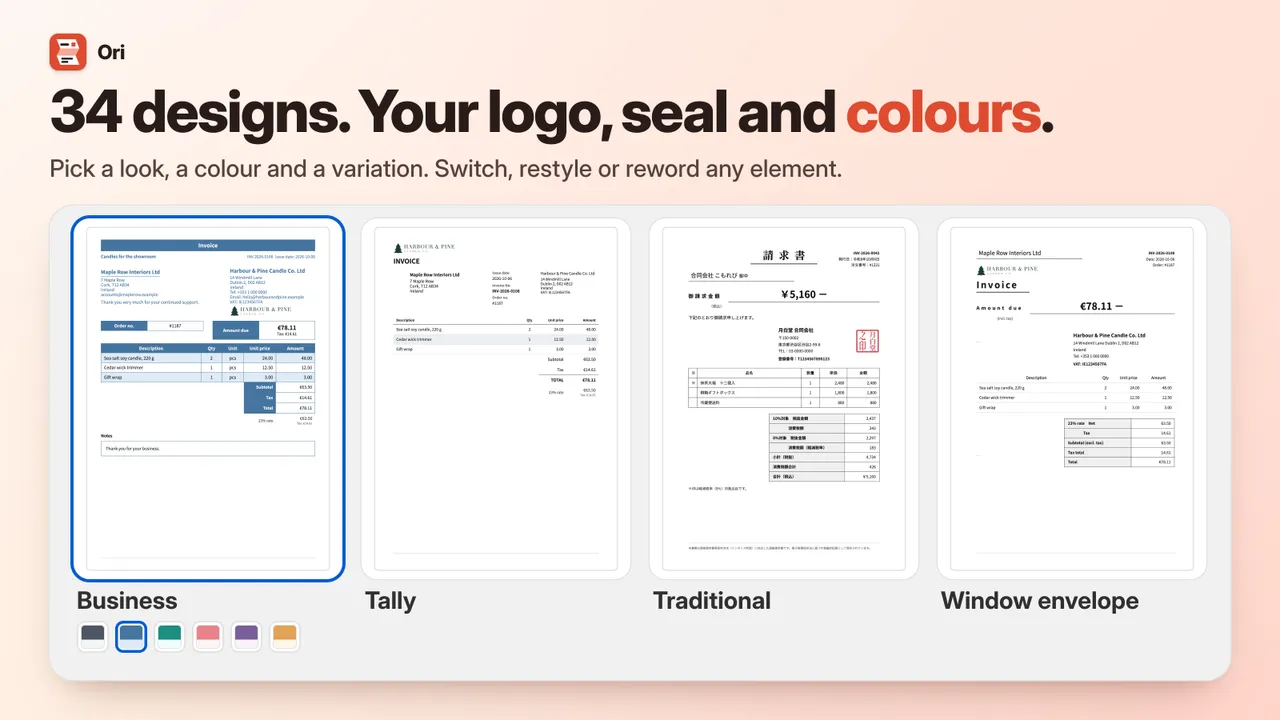
34 built-in designs, with your logo, seal and colours 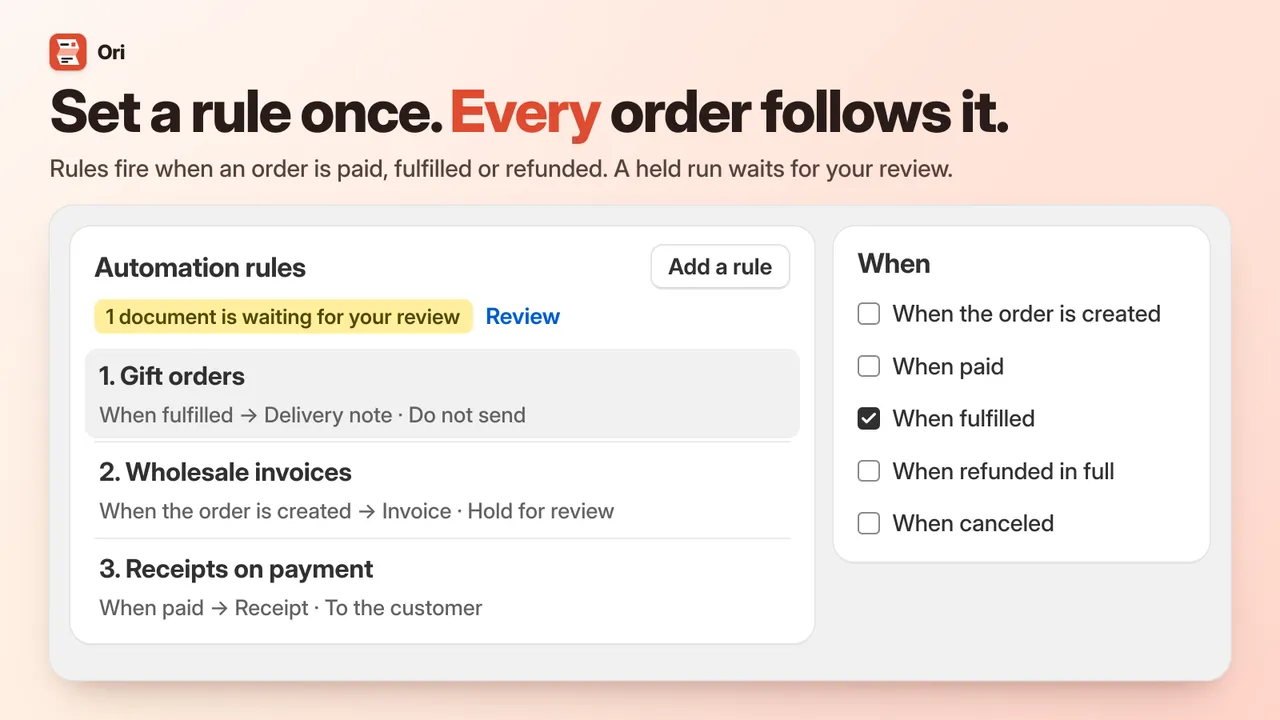
Automation rules issue documents; emailing them needs Standard or Pro 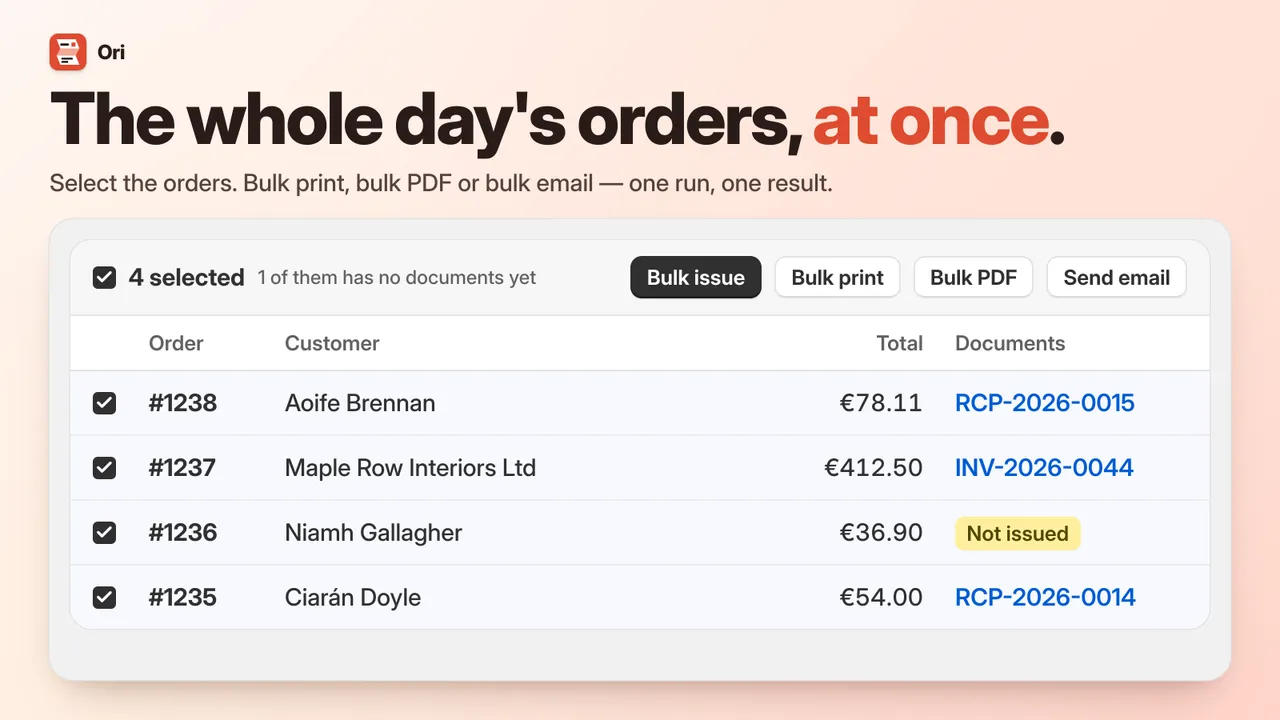
Bulk print, bulk PDF and bulk email, on Standard and Pro 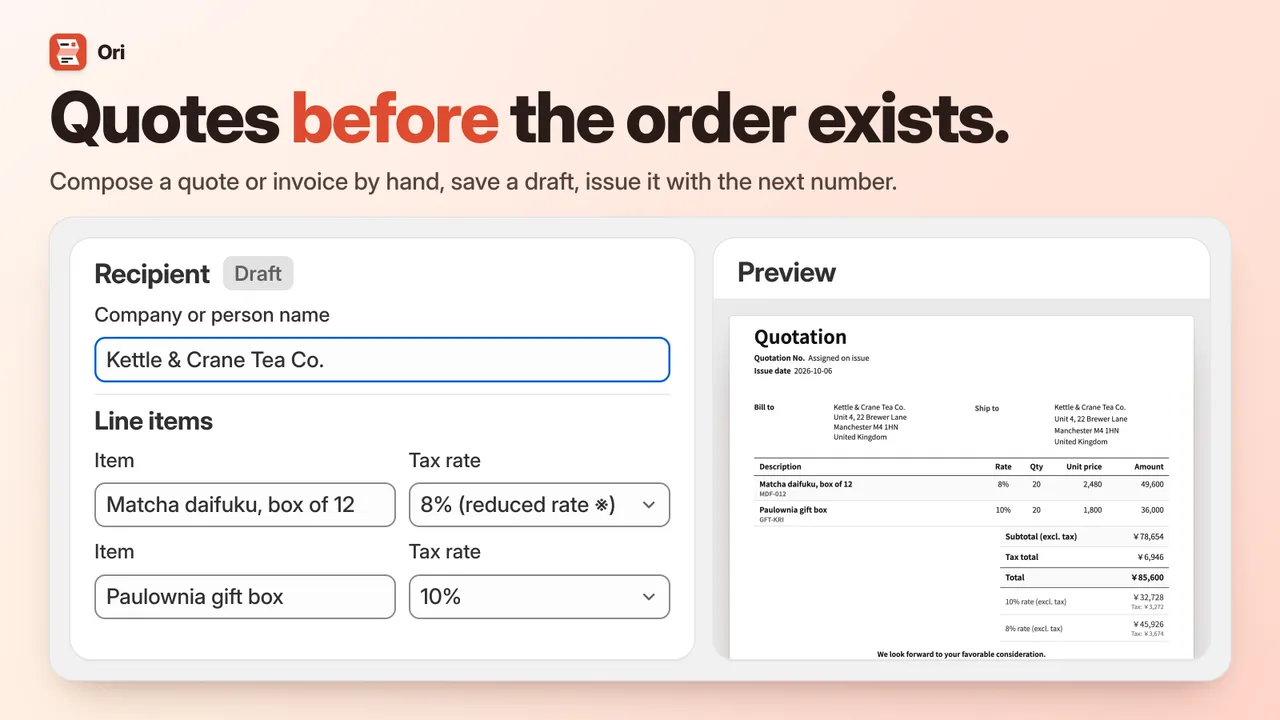
Quotations and invoices composed by hand, with no order behind them 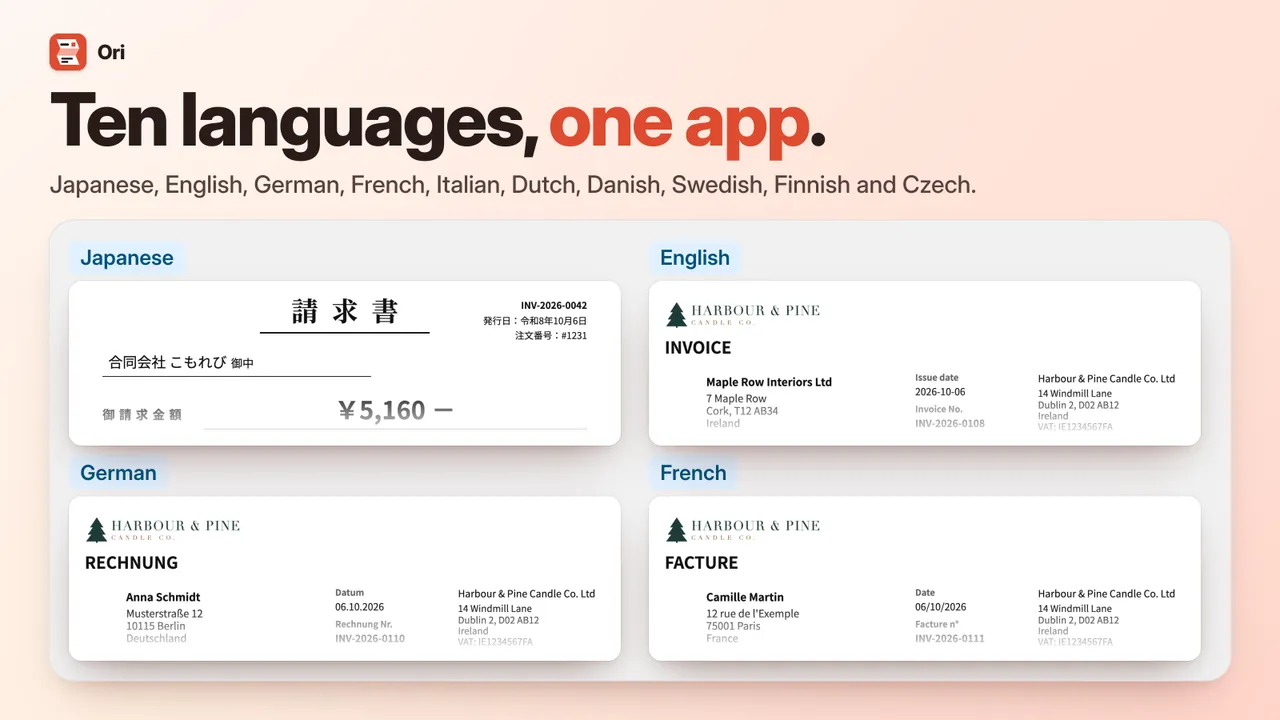
Designs in ten languages, one language per design


Ori vs Shopify's own documents
Cells outside the Ori column restate the Shopify sources listed under the table. Not stated means the source doesn't say; a dash means the tool doesn't do that job.
| Job | Shopify Order Printer | Packing slip | Draft order invoice | VAT invoices (EU/UK) | Ori |
|---|---|---|---|---|---|
| Documents from an order | Invoices, packing slips, pick lists, custom | Packing slips | — | VAT invoice | Invoice, receipt, delivery note, quotation, purchase order |
| Edit the layout | HTML, CSS and Liquid | HTML, CSS and Liquid | — | Logo | 34 looks, element by element, no code |
| A numbered sequence per document type | Not stated | Not stated | — | Not stated | Yes, per type, never restarts |
| A stored copy of each issued document | Not stated | Not stated | — | On the order | Every PDF and version, with a hash |
| A PDF emailed to the customer | Not stated (print or save as PDF in the browser) | — | An email with a checkout link | Download and email it yourself | Standard and Pro, by hand, in bulk or by rule |
| Customer gets the document themselves | Not stated | — | — | On the order status page | Receipts, on Standard and Pro |
| Japan's qualified-invoice items | If you write them into a template | Not stated | — | — | Printed by default |
| Many orders at once | Up to 50 orders | Yes; limit not stated | — | — | Up to 100 per action in Ori; bulk issue from Shopify's Orders list |
| Price | Free | Included | Included | Not stated | Free plan; see pricing |
Shopify's own tools are enough when you print documents yourself and need no numbering, archive or emailing. Ori is for numbered documents of five types, Japan's qualified-invoice items without code, a stored copy of everything you issue and, on paid plans, emailing and receipts customers issue themselves.
Checked .
7 sources
- Shopify App Store: Shopify Order Printer
- Shopify Help Center: Printing documents with Shopify Order Printer
- Shopify Help Center: Creating Shopify Order Printer templates
- Shopify Help Center: Printing packing slips
- Shopify Help Center: Customizing packing slips
- Shopify Help Center: Sending a draft order invoice
- Shopify Help Center: VAT invoices
How much does Ori cost?
Ori has a Free plan and 2 paid plans from $8.99 / month. Paid plans are billed through Shopify, on your Shopify invoice.
| Plan | Price | What it includes |
|---|---|---|
| Free | Free |
|
| Standard | $8.99 / month |
|
| Pro | $19.99 / month |
|
Plans and prices as listed on the Shopify App Store, which is authoritative. Page updated .
What can Ori access?
The Shopify access scopes in Ori’s app configuration, and what each one is for.
| Permission | What it allows | Why |
|---|---|---|
| read_orders | Read your orders | Every document is built from an order: its items, taxes, totals, addresses and status, and the tags, channel and payment method your automation rules test. |
| read_all_orders | Read your full order history | Without it Shopify shows an app only the last 60 days. Ori lists every order and issues a document for an old order when a customer asks, months later. |
| read_customers | Read customer details | To print the customer's name, email, phone and customer number, test customer tags in rules, read a B2B company's tax ID, and know which signed-in customer is asking for a receipt. |
| read_products | Read your products | To print product details a design asks for: compare-at price, vendor, weight, HS code, country of origin and product metafields. |
| read_metaobjects | Read metaobjects | To print the name behind a metafield that points to a metaobject, such as Shopify's Color or Fabric category values. |
Ori asks for no write access: it changes nothing in your store, theme, products, orders or notifications.
Frequently asked questions
Is Ori free?
Yes, there is a Free plan: 50 documents a month, counted in Japan time, with all five document types, the qualified-invoice items, your seal and logo, one design per document type, the archive and audit ZIP, and automation rules that issue documents. Standard adds unlimited documents, email, customer self-issue and bulk print, PDF and email, and Pro adds the accounting CSV. The pricing table on this page lists each plan.
Which documents can Ori issue?
Five types: Invoice, Quotation, Purchase order, Delivery note and Receipt. Each is issued from an order, and quotations and invoices can also be composed by hand with no order behind them. Ori's Delivery note does the job of what Shopify calls a packing slip. Ori does not issue credit notes.
Is an Ori invoice a qualified invoice?
With your registration number set, Ori's invoices, receipts and delivery notes print the items a qualified invoice (適格請求書) carries: your registration number, the recipient, the date, the totals and tax for 8% and 10%, and, on Japanese designs, reduced-rate items marked ※. Ori checks the number's format, not the National Tax Agency's register, and takes each line's rate from what Shopify charged on the order. What you issue remains your responsibility.
Can customers issue their own receipts?
Yes, on Standard and Pro. Switch on customer self-issue under Sending, then add Ori's Issue a receipt block to the thank-you page and its View and reissue documents block to the order status page in Shopify's checkout editor. Customers can issue receipts only, for paid orders not refunded in full. A guest can do it for 48 hours after ordering; after that, only a signed-in customer can.
Can Ori email invoices automatically?
Automation rules issue documents when an order is created, paid or fulfilled on every plan, and email them to the customer on Standard and Pro: the PDF attached, sent from Ori's sending address with your business name as the sender and replies going to the email address in your business details. Rules apply only to orders placed after you save them.
Can I use my own invoice design?
Start from one of 34 built-in designs and restyle each element, or send Ori's team the document you use today and it builds the design for you, free on every plan. There is no code, HTML or Liquid editor: designs are edited element by element.
Do I still need Shopify Order Printer?
Not if Ori covers the documents you need. Shopify Order Printer is Shopify's own free app: it prints invoices, packing slips and pick lists from templates you edit in HTML, CSS and Liquid, up to 50 orders at a time. It is enough if you print documents yourself and need no numbering, archive or emailing.
Does Ori issue credit notes?
No. Ori does not issue credit notes or qualified return invoices (適格返還請求書). For a refund, void the original document, or use a design that prints amounts as negative. An automation rule can void a document type when an order is refunded in full or cancelled; a partial refund voids nothing.
Does Ori change my theme or Shopify's emails?
No. Ori has no theme extension and asks for no write access, so it changes nothing in your store, and Shopify's order notifications stay as they are: Ori's own emails are separate messages. It adds its actions and a Documents card to Shopify's order pages, and its receipt blocks appear on the thank-you and order status pages only if you add them.
What happens to my documents if I uninstall?
Your issued documents are kept, with your settings and designs. Ori prepares an export of your archive when you uninstall, and support sends it to you on request; nothing is emailed automatically. That export holds at most 5,000 documents, so export a larger archive yourself, period by period, before you uninstall.
Does Ori connect to freee, Money Forward or Yayoi?
No. On Pro, Ori exports an accounting CSV laid out for freee, Money Forward Cloud or Yayoi Kaikei, which you then import into that software yourself. There is no connection or sync.
Which languages does Ori support?
Designs print in Japanese, English, German, French, Italian, Dutch, Danish, Swedish, Finnish or Czech, one language per design, so a shop that issues documents in two languages keeps a design in each. The admin follows your Shopify admin's language in the same ten languages, and falls back to English for any other.
Guides and documentation
Ori documentation
All 11 Ori guidesInstall Ori from the Shopify App Store.
Start on the Free plan and move up only when you need to.
Need help with Ori? Email support@b2bgold.app.