Ori's Archive: Search, Tamper Check and Export
What does Ori’s archive keep?
Ori’s Archive keeps every PDF Ori issues from your Shopify orders unchanged, with a SHA-256 hash. A reissue or a void adds a version and keeps the earlier one. You can search by transaction date, amount and recipient, re-hash a stored PDF with a tamper check, and export the PDFs with an index CSV as an audit ZIP.
A document goes into the archive by itself once its PDF is made, on every plan. Drafts have no number and aren’t archived, and neither is the setup sample.
How do I find a document?
To find a document in Ori’s archive, open Archive and type its number in Document no., or open Filters and search by transaction date, amount or recipient. Filters can be combined.
- In Ori, open Archive.
- If you know the number, type all of it (
RCP-2026-0012) or its last digits (12) in Document no. and press Search. - Otherwise, open Filters, fill in any of Transaction date (from), Transaction date (to), Amount (min, tax incl.), Amount (max, tax incl.), Recipient and Document type, and press Search with these filters. Recipient takes part of a person’s or company’s name.
- Choose a result to open its record, with Stored versions and Audit log below its details.
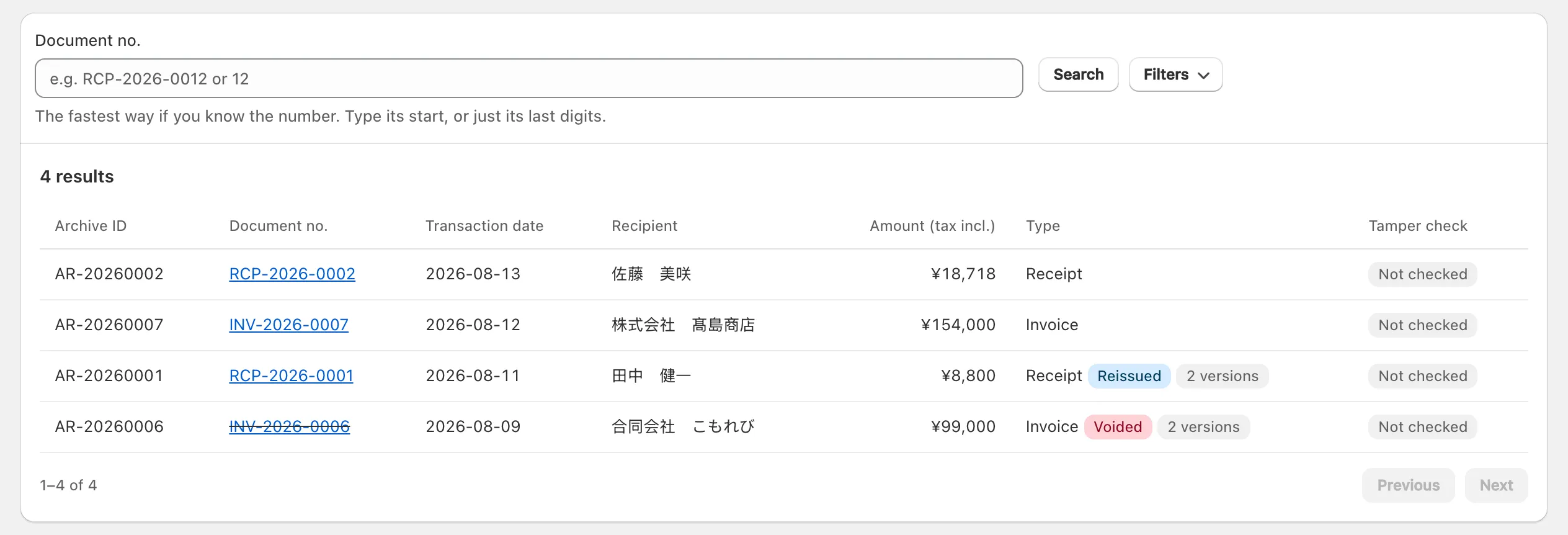
After a reissue, the archive lists the document under the recipient name on its latest version.
What does the tamper check do?
Ori’s tamper check re-reads a stored PDF, works out its SHA-256 hash again and compares it with the hash Ori recorded when it stored that PDF. It runs when you press it, one version at a time; nothing checks the archive on a schedule.
- In Archive, open the document’s record.
- Under Stored versions, press Verify this version on the version you want to check.
- The result appears under that version: Hash match: no tampering detected, Hash mismatch: the data does not match what was stored. or The stored file could not be retrieved. Whatever the result, the check is added to the Audit log.
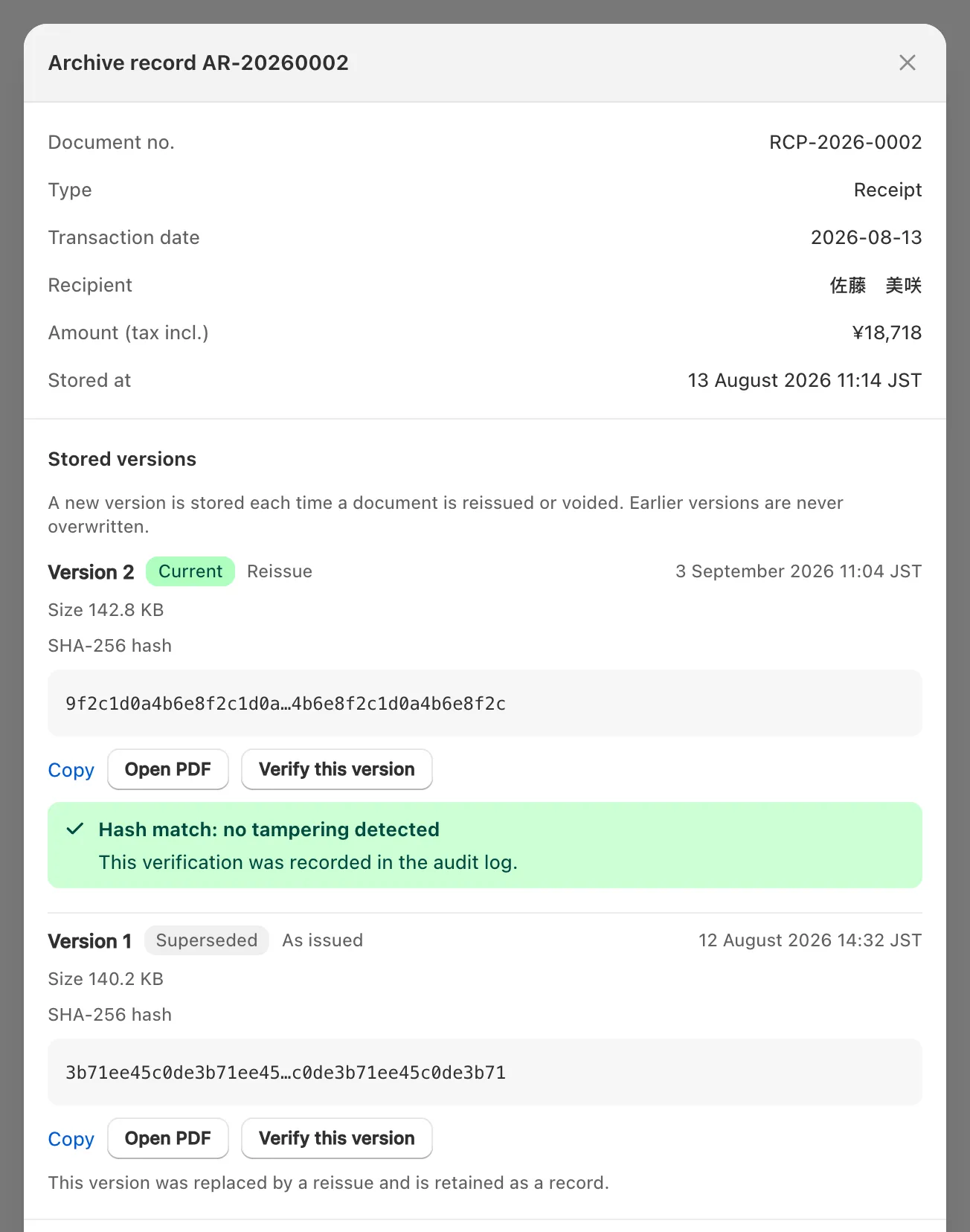
The results’ Tamper check column shows the latest check of each document’s current version: ✓ Verified, ✗ Mismatch, ✗ Not retrievable or Not checked. For a mismatch or a missing file, contact support from the Support drawer on Home.
Ori keeps both the PDF and its hash, so a match shows the file still matches the hash Ori recorded; no one outside Ori has checked it. To let your accountant check a copy, give them its hash (Copy) or an audit ZIP, whose index lists every version’s hash.
What do stored versions and the audit log show?
Stored versions are every PDF Ori has made for one document: the first is marked As issued, and each reissue or void adds one, marked Reissue or Void. The newest is Current; earlier ones are marked Superseded and stay in the archive, never overwritten.
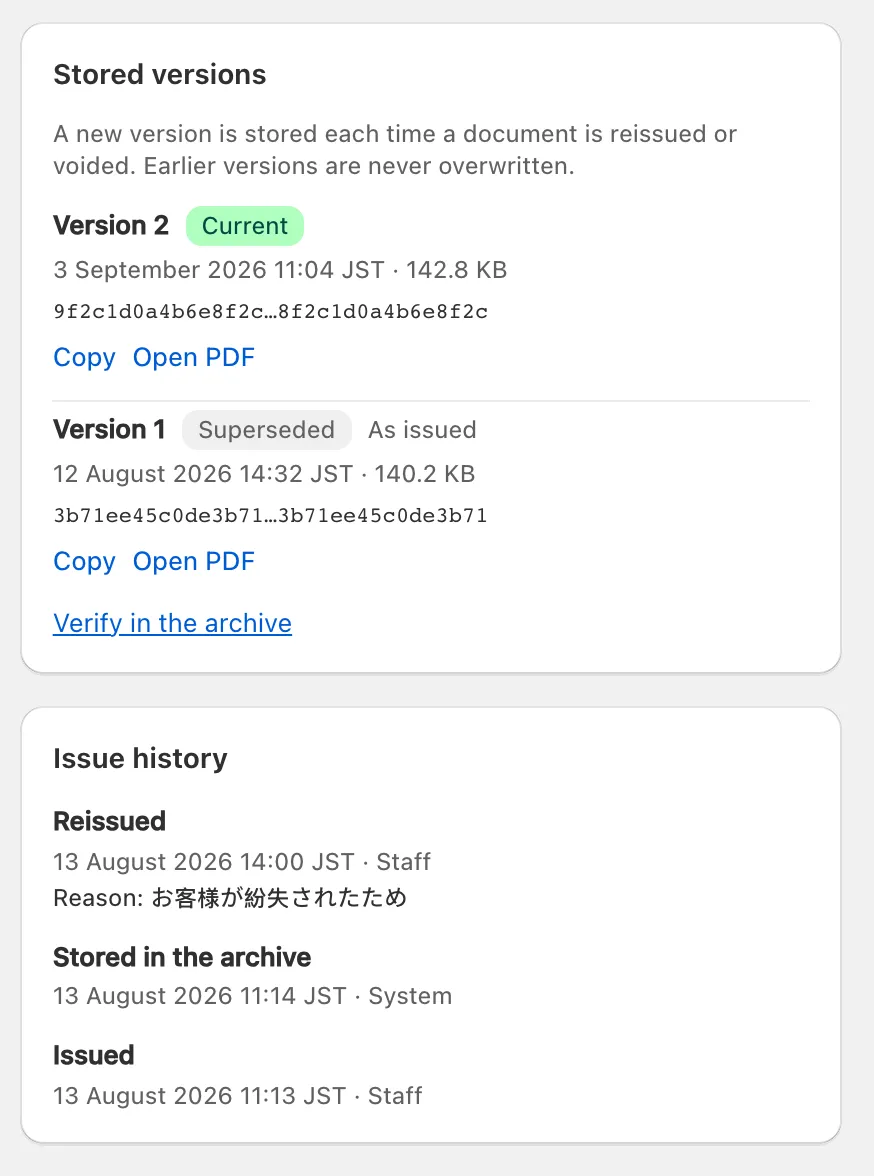
Each version shows when it was made, its size and its SHA-256 hash, with Copy, Open PDF and Verify this version. A reissue keeps the document number. Only a customer’s reissue can change the recipient name, honorific or line description (reissue, void and refunds in Ori).
The Audit log lists what happened to the document, when, and who acted (Staff, Automatic, Customer (self-issue) or System): Issued, Reissued, Voided, Stored in the archive, Email sent, Viewed, Exported, each tamper check, and failures such as Email delivery failed. A reissue or void also shows its reason.
How do I export documents for my accountant?
To export documents from Ori for your accountant, open Archive, choose a Period in the Export card, pick Audit ZIP (PDFs + index CSV) and press Start export. The audit ZIP is on every plan and holds every version of each document’s PDF, with an index CSV.
- In Archive, find the Export card.
- Choose a Period: This month, Last month, Last 3 months, This fiscal year (1 April to 31 March) or All time. Documents are picked by transaction date.
Under Format, choose Audit ZIP (PDFs + index CSV).
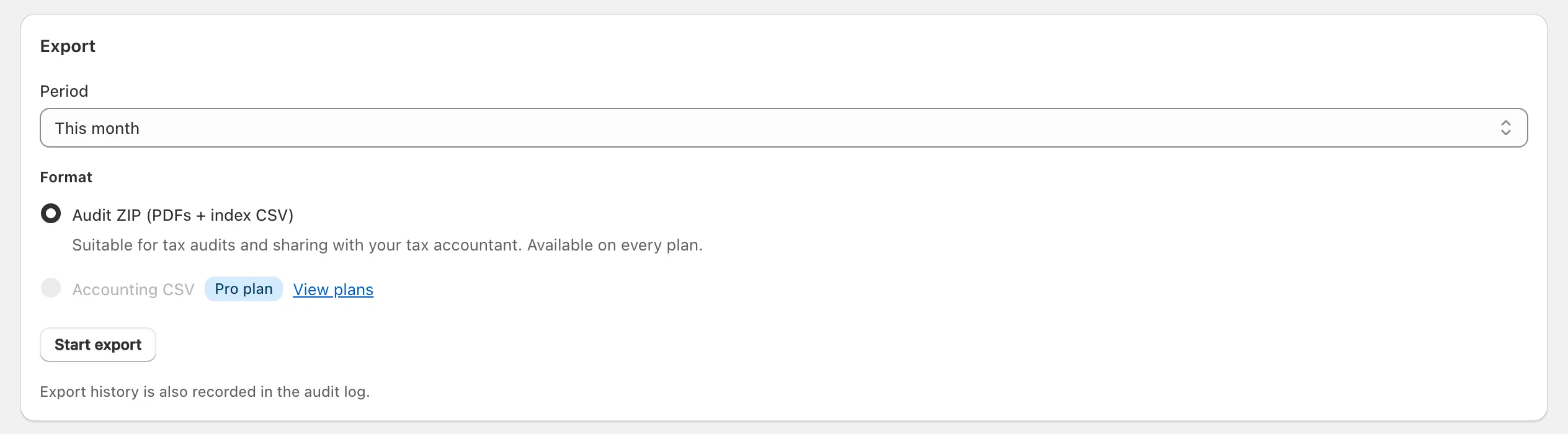
Press Start export. Start this export? shows how many documents are included; press Start export again to confirm.
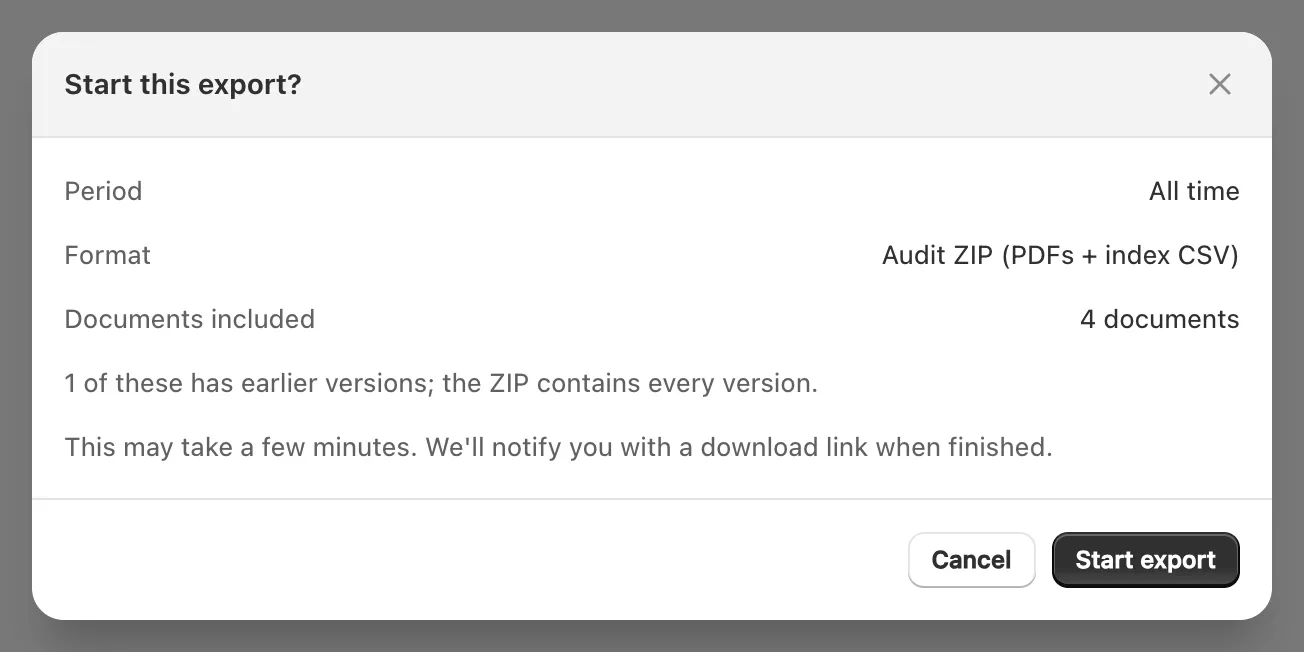
- The export carries on if you leave the page. When it’s ready, Export complete appears with Download.
The ZIP holds 索引.csv, the index, and a documents folder with the PDF of every version. The index has one row per stored version, with Japanese column headings: each document’s number, type, status, transaction date, recipient, amounts and tax per rate, and the version’s SHA-256 hash. Voided documents are included. Each export is recorded in the audit log.
Important: An export of more than 5,000 documents is refused, not split: Ori asks you to “split the period and export 5,000 or fewer at a time”.
On the Pro plan, the card also offers Accounting CSV, laid out for freee, Money Forward Cloud or Yayoi Kaikei, which you import into that software yourself.
How long are documents kept?
Ori does not delete an issued document, during the retention period or after it. The Retention period is a setting, 7 years by default or 10 years, shown on the Archive page under Retention policy.
To change it, open Settings → Tax & compliance, choose 7 years or 10 years under Retention period in the Archive card, and save.
If you uninstall Ori, the archive is kept with your settings, and an export of it is sent to you on request (what happens if you uninstall Ori). That export holds at most 5,000 documents, so export a larger archive yourself, period by period, before you uninstall.
What doesn’t the archive do?
Ori’s archive stores, searches, checks and exports Ori’s PDFs, and no more:
- No timestamp. Ori applies no timestamp from an outside service; the PDFs and their hashes are both kept by Ori.
- No deletion. You can’t delete an issued document, and nothing deletes one after the retention period.
- No procedure rules. Ori offers no template for administrative procedure rules (事務処理規程).
- Only Ori’s documents. Invoices you receive, and documents printed from Shopify or another app, are not stored.
Ask your tax accountant (税理士) whether the way you keep records meets the Electronic Books Preservation Act (電子帳簿保存法). The National Tax Agency explains the Act on its special site on keeping tax records electronically, in Japanese (checked 14 October 2026).
