What XSeo's Site Audit Checks on Shopify
What does XSeo’s site audit check?
XSeo’s site audit reads your Shopify store and lists what to fix on Home, in five groups: Google search results, images, AI shopping, links and redirects, and structured data. The three issues whose fix helps most come first, under Fix first. The audit only reads: it changes nothing in your store and uses none of your AI items.
In XSeo, the audit is Home’s list, Things to fix; there is no separate audit page. Each row names an issue, shows how many items it affects (a yes-or-no row has no count) and has one button; rows under Fix first also say why the issue matters.
| Group | Row on Home | Its button |
|---|---|---|
| Google search results | Products with weak or missing SEO text, Collections with weak or missing SEO text | Write SEO text |
| Google search results | Products whose SEO text another app manages, only when XSeo finds some | Review and copy |
| Google search results | Pages Google left out, such as Crawled, not indexed, with Search Console connected | Review, on Results |
| Google search results | Hidden from search but still linked or visited | Review, in Listings |
| Images | Images with no alt text | Write alt text |
| Images | Images larger than 2,560 px (your Largest image size) | Optimize, which points you to Images |
| AI shopping | Active products with no category | Suggest categories |
| AI shopping | Active products with no or a short description | Write descriptions |
| AI shopping | Active products with no GTIN | Import barcodes |
| AI shopping | Active products not on the Online Store or hidden from search engines | Review |
| AI shopping | Search and answer bots kept out of your catalog | Review crawlers |
| Links and redirects | Missing pages people still visit | Create redirects |
| Links and redirects | Broken internal links | Fix links |
| Links and redirects | Redirect chains, Redirect loops, Redirects to missing pages | Review, on Links |
| Structured data | Structured data is off | Turn on |
| Structured data | What the storefront check finds, such as Product described twice or No breadcrumbs | Open theme editor, Open app embeds or Set up |
| Structured data | Gaps in your product markup, such as Product markup with no GTIN or MPN | Import barcodes, Review products, Set up or Open theme editor |
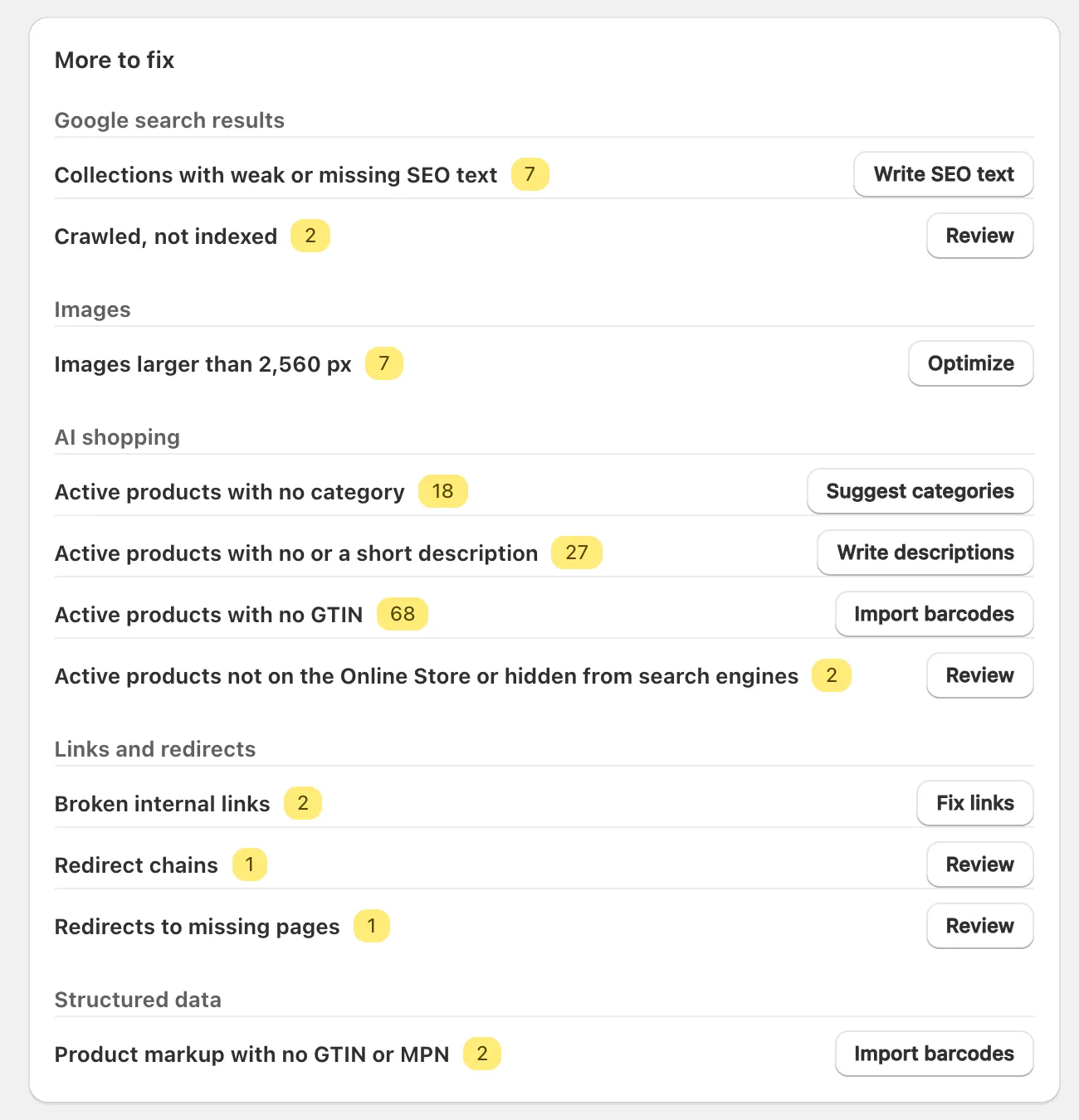
Product checks cover active products, so drafts and archived products aren’t counted, and the two SEO text rows count up to 2,000 products and 2,000 collections. Home has no SEO text row for pages and blog posts: check them in Listings, under Pages and Blog posts.
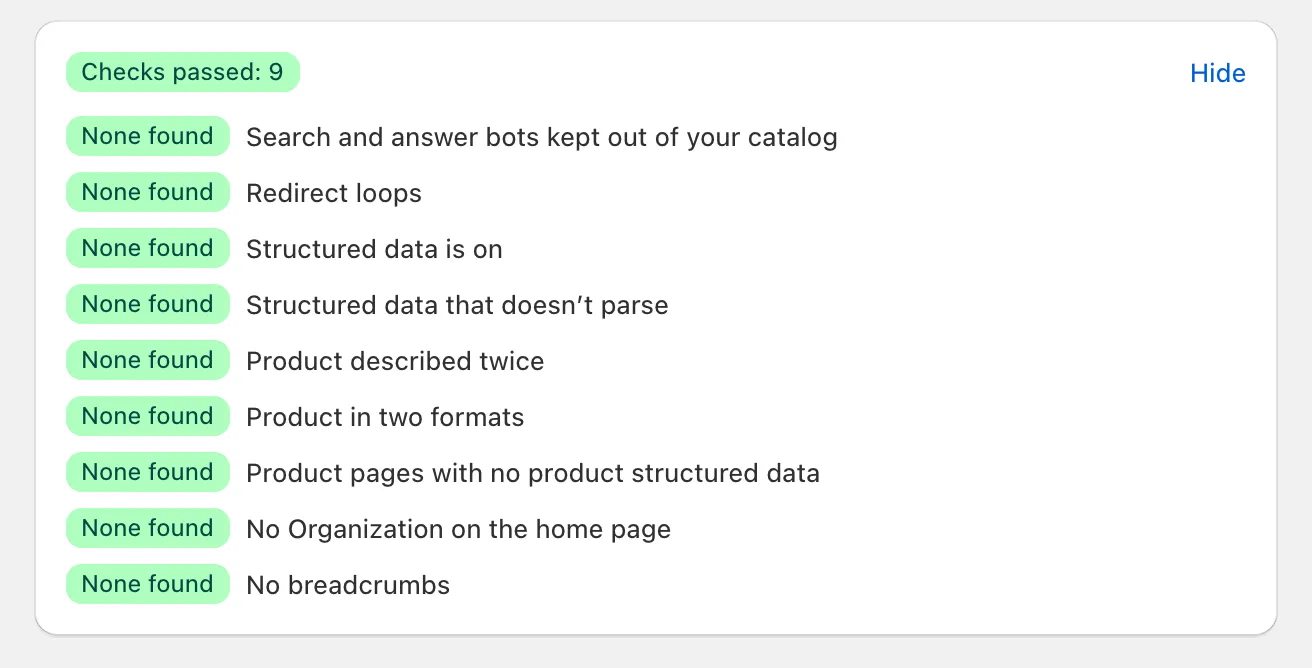
Checks that pass fold into Checks passed. Click Show to list them, each marked None found.
How does XSeo choose what to fix first?
XSeo puts the three issues whose fix helps most under Fix first: each kind of issue has a weight for how much fixing it helps, raised a little as its count grows, and the three highest go first. The rest are under More to fix, by group.
XSeo never shows these weights and gives your store no score: Home shows counts. Fix first fills in once Home has read your store, so rows don’t jump while you read, and keeps the same three for your visit unless you fix one.
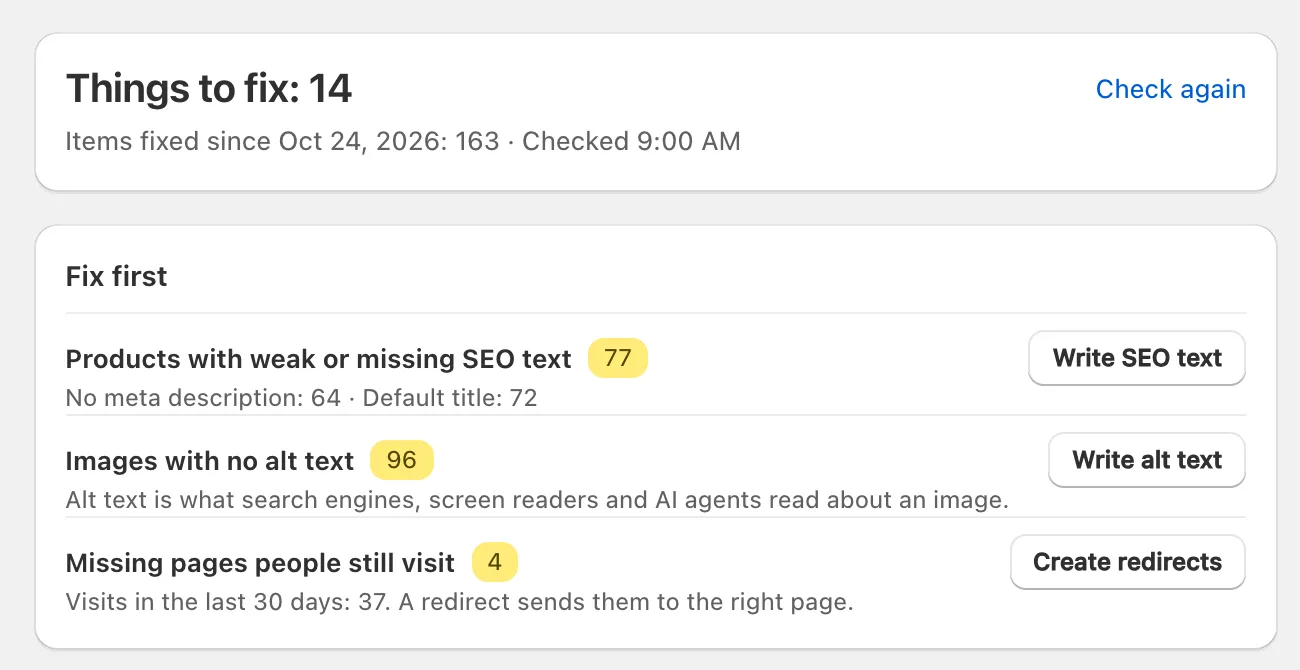
Things to fix counts rows, not items. Under it, Checked says when Home last read your store, and Items fixed since counts the items fixed since the day it shows. Check again reads your store again. If you come back within a day, Home shows the last counts at once, marked Counts from with their time, while it reads your store again.
Why does a check say it’s waiting?
A check on XSeo’s Home says Waiting when it needs your storefront open to visitors and your store is password-protected. Home’s 404 and AI crawler rows show this neutral badge with the reason and no button; it is never a pass and never sits under Fix first.
They run once your store is open. The structured data row tells you that you can turn the embed on now and that it starts once the store is open, and rows about Google’s index need Search Console connected and a store Google can visit: what works while your store is private.
Two other states are about reading, not waiting: Still checking names the parts Home hasn’t read yet, and Some checks couldn’t run names the ones that failed, with Try again.
How do I check one product?
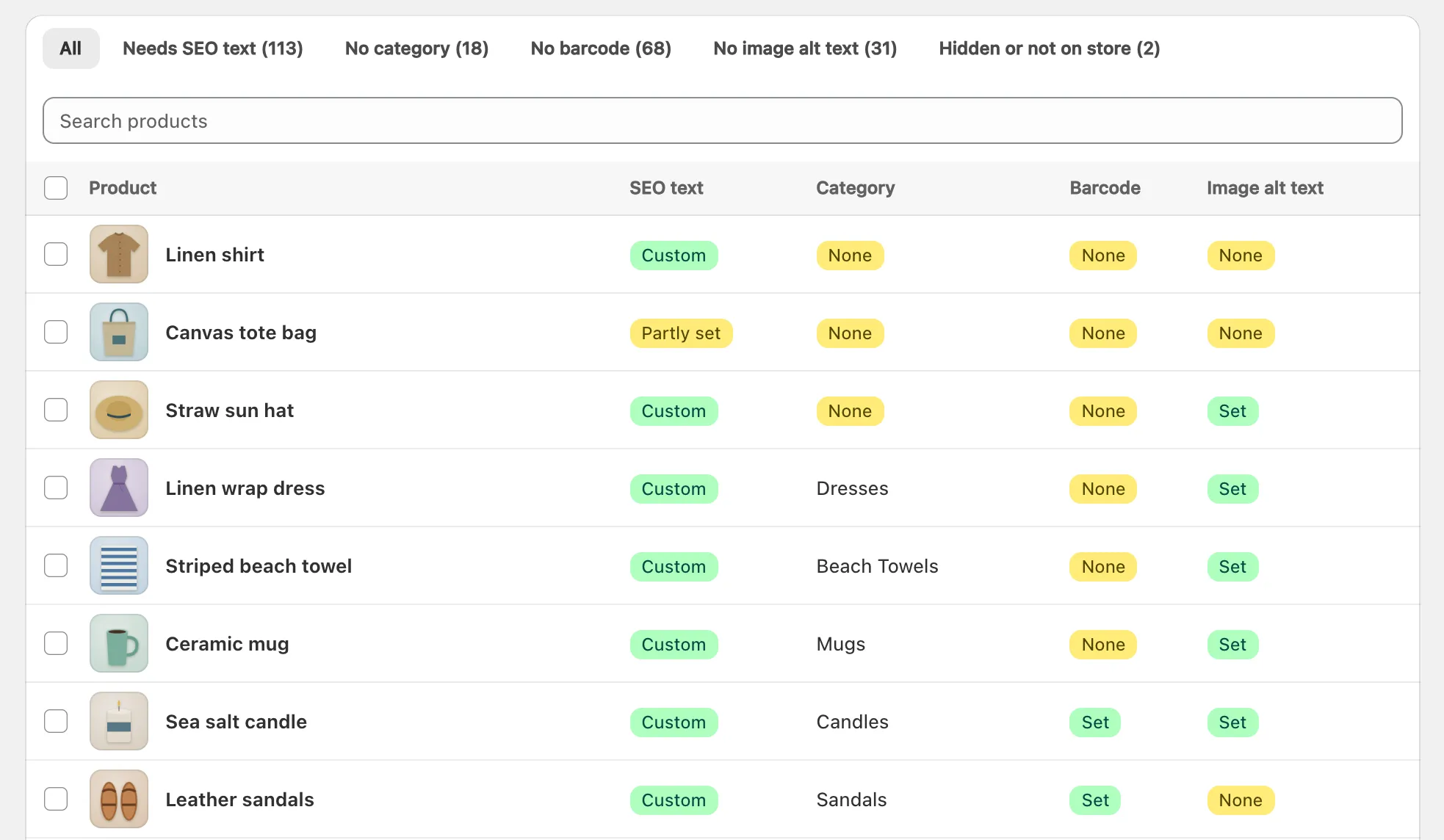
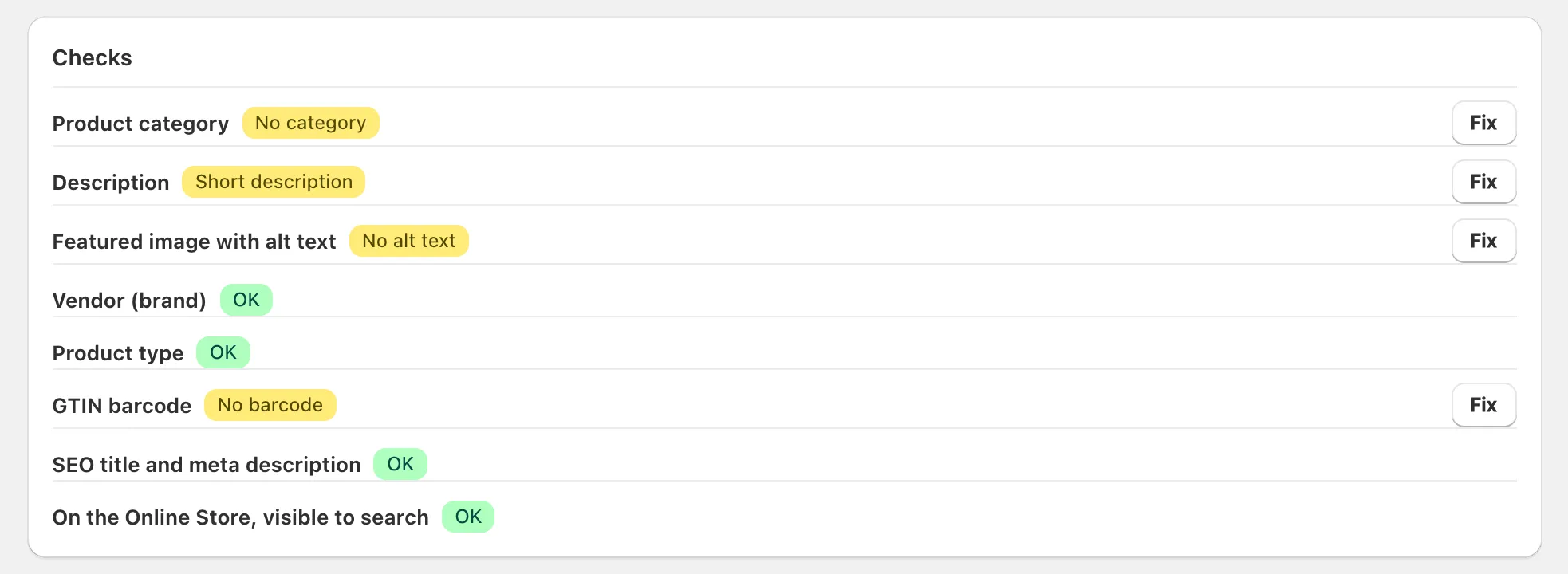
To check one product, open it in XSeo’s Listings: its page shows In Google, a drawn search result with its SEO title and meta description, and Checks, eight checks marked OK or with what’s missing.
- Open Listings. Products show first: use Search products, or a view with its count: Needs SEO text, No category, No barcode, No image alt text or Hidden or not on store.
- Click the product. Its page lists In Google, Search engines, Checks, What AI agents see and Changes made by XSeo.
- In Checks, click Fix beside a check that isn’t OK. SEO text and category open a fix, alt text goes to Images, a GTIN to Import barcodes and a description to Draft descriptions. Vendor, product type and visibility are fixed with Edit product in Shopify.
Does the audit change anything?
No. XSeo’s site audit only reads your store: the counts, Check again and opening a row change nothing, and reading uses none of your AI items.
A row’s button opens either a fix, which writes only when you press its own button after reading its examples, or the page where you fix the issue. One thing does count: a fix that writes with AI makes its examples with AI when it opens, and those items count toward this month’s AI items even if you cancel (how XSeo counts AI items). XSeo keeps only the counts, day by day, for Items fixed since and its monthly report email.
