X Shield Isn't Blocking? 9 Things to Check
Why isn’t X Shield blocking anyone?
If X Shield isn’t blocking anyone on your Shopify store, start on its Overview page. The warning Theme extension is not enabled — nothing is being blocked means no visitor is checked until you switch on the X Shield app embed. Then make sure the protection is on, dry run is off, and your own connection isn’t exempt.
Find what you see:
| What you see | Checks |
|---|---|
| Nobody is blocked at all | App opened · App embed · Protection on · Dry run |
| Your own test visit isn’t blocked | Rule match · Exempt connection · Cached page |
| Some visitors still get through | JavaScript · Checkout |
Have you opened X Shield yet?
X Shield starts checking visitors only after you open the app once from your Shopify admin, because that first visit completes the installation. Until then, the storefront script stops without checking anyone. Open it from Apps and let the Overview load.
X Shield doesn’t support Partner development stores. On one, the app shows Development Store Not Supported.
Is the app embed on?
X Shield runs from an app embed in your live theme, and the embed is off until you switch it on. The Overview shows Theme extension as Active or Inactive.
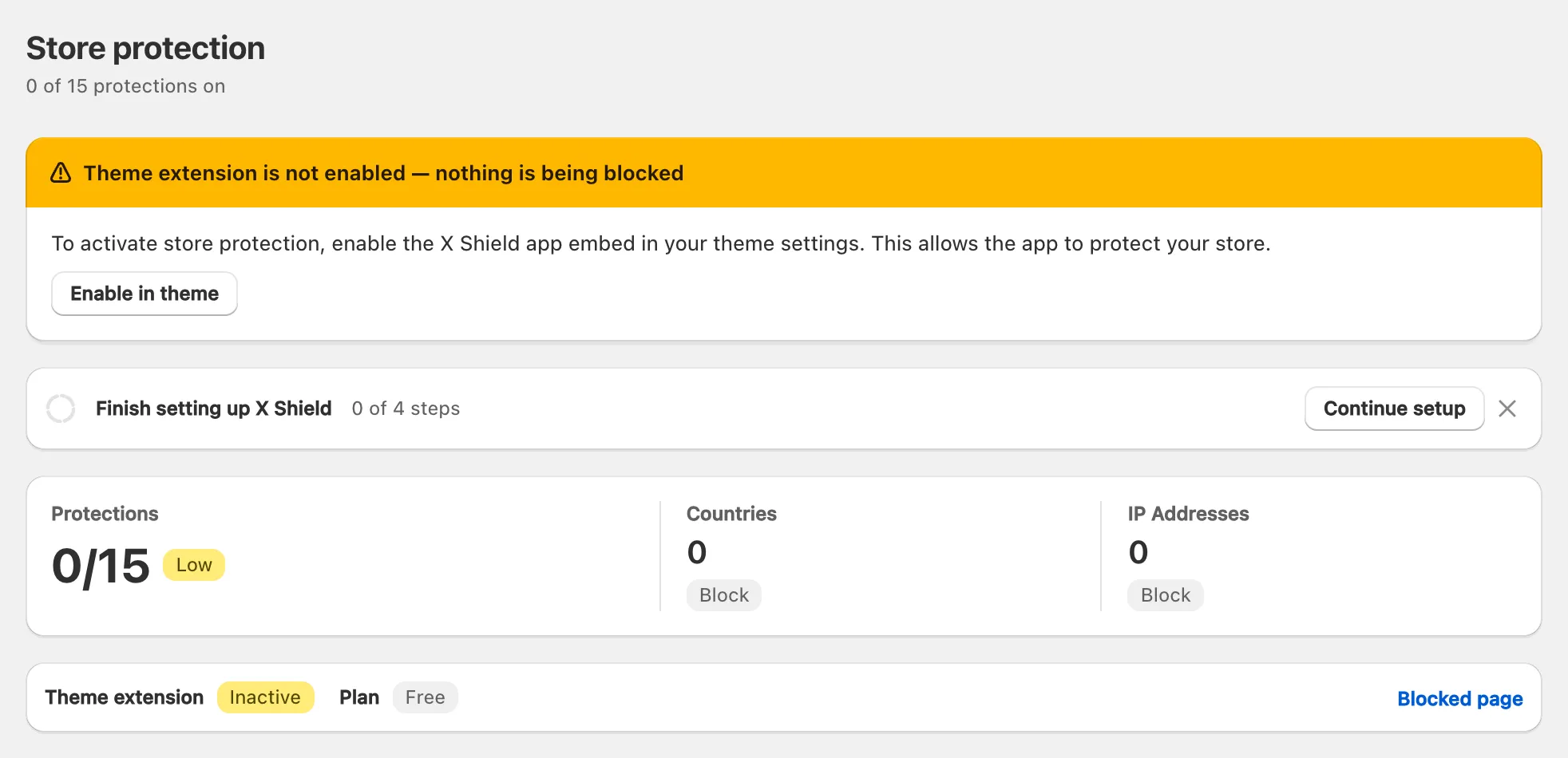
- On the Overview, click Enable in theme. Your theme editor opens in a new tab with the X Shield embed switched on.
- Click Save in the theme editor.
- Go back to the X Shield tab. Theme extension reads Active, and the warning is gone.
To do it by hand, follow Shopify’s Extend your theme with apps: Online Store → Edit theme → App embeds → switch on X Shield → Save. App embeds are set per theme, so switch it on again after you publish a different theme.
Is the protection switched on?
Every protection starts off. GEO control and IP & Network each have a switch at the top of their page: set it to On, then click Save. Other protections, such as Bot protection and VPN/Proxy protection, have switches on the Overview that save straight away, with the toast Feature enabled.
A country rule also needs countries: an empty list blocks nobody, even in Allow only listed mode. Spy extensions protection and Developer tools protection are on paid plans; on the Free plan, their switches open Upgrade Required.
Is dry run still on?
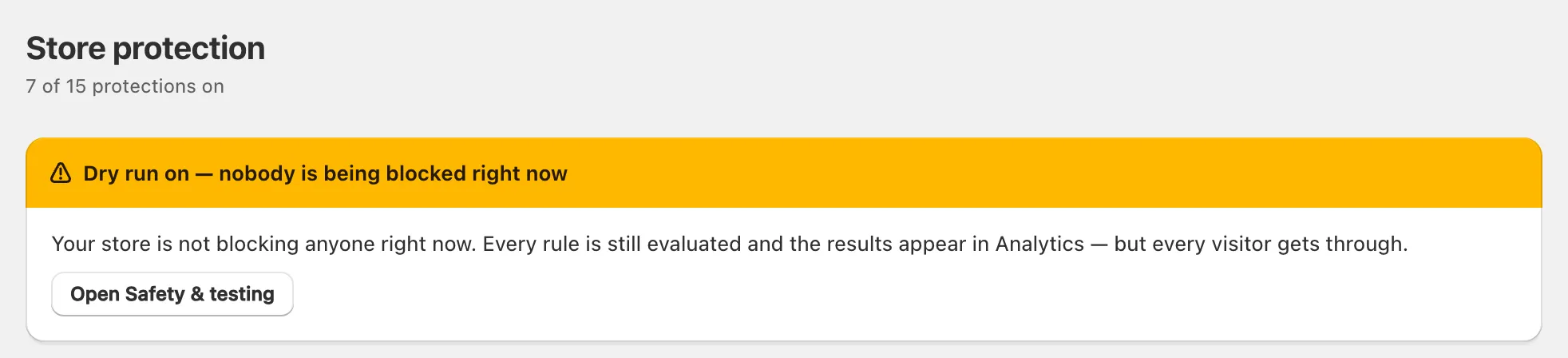
Dry run lets every visitor through while recording who would have been blocked. While it is on, the Overview, GEO control and IP & Network pages show Dry run on — nobody is being blocked right now. To enforce your rules, open Safety & testing, click Block for real and click Save. The toast reads Blocking is active again.
Does the rule match your test?
X Shield blocks only visitors who match a saved rule. Check each of these:
- Mode. Block listed blocks only what is on the list. Allow only listed blocks everyone who isn’t on it.
- Page targeting. With Specific pages only, each path matches as a prefix.
/productscovers every product page, but a translated address such as/fr/products/linen-shirtneeds its own entry (how page targeting works). - Location. X Shield judges visitors by IP address. Test my own connection in Safety & testing shows the IP address and country it sees for you, and whether your rules block it.
- City rules are skipped when a visitor’s city can’t be determined, and city locations are often wrong on mobile networks.
- Unresolved addresses. When a visitor’s IP address can’t be looked up, IP, network and VPN rules can’t run; country rules usually still apply.
Testing with a VPN
X Shield uses the country its lookup finds for the VPN’s exit address, which may not be the country your VPN app shows. Some services are never treated as VPNs, such as iCloud Private Relay and Cloudflare WARP, because real shoppers use them. Connect the VPN, reload X Shield and click Test my own connection to see what X Shield sees. The rule tester doesn’t cover VPN/Proxy protection, so test that from a private browser window.
Are you testing from an exempt connection?
Being the store owner doesn’t exempt you from your own rules, but these do:
- Your IP address, or a range containing it, is in Global bypass → Whitelisted IPs, or in the IP whitelist on GEO control, which skips country rules only.
- You opened your private access link in this browser tab. It lasts until you close the tab.
- You are looking at the theme editor’s preview, where X Shield doesn’t run.
Test in a new private window, from a connection that isn’t on your bypass lists. Create your private access link first, so a test that works can’t lock you out: get back in with your private access link.
Verified search crawlers such as Googlebot also pass every rule on purpose, while ticked under Global bypass → Known bots: see how X Shield keeps Googlebot in.
Are you seeing a cached page?
X Shield’s settings travel inside each storefront page, so a saved change applies from the next page load. If your browser shows a copy of the page from before you saved, reload it once, or open a new private window.
Does the visitor run JavaScript?
X Shield works in the visitor’s browser, as JavaScript. Tools that fetch your pages without running it, such as curl, python-requests, Scrapy and most AI crawlers, are never blocked and receive your page’s HTML. The same goes for data addresses such as /products.json. Even blocked visitors receive the page first, and may glimpse it before the blocked page replaces it.
Did they go straight to checkout?
X Shield can’t stop anyone at Shopify’s checkout. As the app’s FAQ puts it, “Due to Shopify platform rules, X Shield cannot control the hosted Checkout (including Shop Pay) or block payment authorizations.” A blocked visitor can still reach checkout through a direct checkout link or a page cached in their browser.
What helps: on paid plans, order protection checks each new order against what X Shield saw on your storefront and, depending on your plan, flags, tags or holds it. If bots are filling your checkout with fake details, read about fake John Doe checkouts.
